Blockdoll Sandbox
Blockdoll Sandbox puts you in control of a virtual toy box where the only limit is your imagination. Forget rigid templates; here, you assemble your doll piece by piece, picking from a wide range of blocks, textures, and accessories. The interface is straightforward, letting you click and drag components into place, then tweak colors and sizes until your character feels just right. It's less about following rules and more about experimenting with shapes, so you can make anything from a cheerful robot to a spooky monster. Once your doll is built, the fun continues in a lively 3D space. You can rotate the camera to inspect your work from every angle, set up poses, and string together simple animations to bring your creation to life. Whether you're crafting a character for a story or just passing time, the sandbox gives you room to play. And since every design is yours, you can save your favorites and revisit them later, or start fresh whenever a new idea strikes.
 WaffleMath
Common Core State Standards
Every game supports specific Common Core standards. Browse the full standards library.
Practice by Skill
Games by Grade
What is Blockdoll Sandbox
Ever wanted to build a character exactly the way you picture it? Blockdoll Sandbox gives you the tools to make that happen, one block at a time.
How to Play
Select blocks from the menu and click or drag them onto the doll to attach them. Use the pose and animation controls to move your character around the sandbox scene.
Tips for Playing
- Start with a simple base, like a head and torso, before adding complex details.
- Use the color picker to match shades across different parts for a cohesive look.
- Try rotating the camera frequently to spot any gaps or misaligned blocks.
- Experiment with the animation sliders to create smooth, natural movements.
- Save early and often so you can go back if you want to try a different idea.
Frequently Asked Questions
Can I change a block after I've placed it?
Yes, just select the block you want to modify and choose a new one from the menu, or delete it and start over.
Are there any limits to how many blocks I can use?
The game doesn't impose a strict limit, but extremely large designs might make the editor slower to respond.
Can I share my creations with others?
You can save your designs locally and show them off by taking screenshots, though the game doesn't have a built-in sharing feature.
Is there a way to undo mistakes?
Yes, there's an undo button that lets you step back through your recent actions, so don't worry about making errors.
Do I need to download anything to play?
No, everything runs right in your browser, so you can start building as soon as the page loads.
Can I animate my doll?
Definitely. The sandbox includes simple pose and animation tools that let you move limbs and create basic motion sequences.
Related Sandbox Building Games

 Toca World Online
 Minecraft Skin Editor
 Playground with Mods
 Playground Latest Version
 Toсa Boсa: Create Maker
 Melon Playground
 FPV Drone Sandbox
 Lego constructor
 Sandbox
 ARMS sandbox
 3D Labubu Sandbox
 Abilities sandbox
 SCP sandbox online
 Sandbox 3D
 Random sandbox
 Lego Master!
 3D Playground Sandbox - Ragdoll
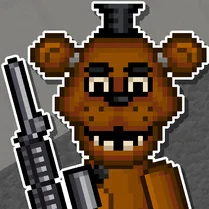 Five Nights at Freddy's Playground Sandbox