Playground with Mods
Playground with Mods turns a simple sandbox into a laboratory of chaos and creativity. Instead of a fixed play area, you get a blank canvas where every element—from gravity to object behavior—can be adjusted on the fly. Drop in ramps, trampolines, vehicles, and countless other items to see how they interact, then watch as your creations tumble, bounce, or explode in unexpected ways. The mod system is the heart of the experience. You can apply different tweaks to alter the rules, giving you fresh ways to test your ideas. Whether you want to build a contraption that launches ragdolls across the map or just make everything slippery for a laugh, the toolset keeps things lively. It is a relaxed, open-ended playground for anyone who likes to experiment without a goal in mind.
 WaffleMath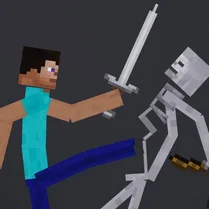
Common Core State Standards
Every game supports specific Common Core standards. Browse the full standards library.
Practice by Skill
Games by Grade
What is Playground with Mods
Forget scripted levels—this is your own personal testing ground. Mix mods, spawn props, and set off chain reactions just to see what happens.
How to Play
Use the mouse to select items from the menu and place them in the sandbox, then use the toolbar to toggle mods and adjust physics. Interact with objects by clicking and dragging to launch or manipulate them.
Tips for Playing
- Try stacking several trampolines to create a super bounce for launching objects high into the air.
- Lower the gravity setting for longer airtime and more dramatic crashes.
- Use the ragdoll spawner to test how objects interact with bodies in motion.
- Combine speed mods with ramps for wilder flips and tumbles.
- Save your favorite custom setups and share them to get new ideas from the community.
Frequently Asked Questions
What exactly are mods in Playground with Mods?
Mods are tweaks that change the game's behavior—like altering gravity, object size, or the bounce factor. They let you customize how the sandbox plays.
Can I play this on a mobile device?
Yes, the game is designed to work in a browser, and it supports both desktop and touch controls. On a phone, you can tap to place items and drag to interact.
Is there a goal or score to chase?
No, it is a sandbox with no winners or scores. You simply play at your own pace and create your own fun.
Can I save my playground designs?
Yes, the game lets you save your customized setups so you can come back to them later or share them with others.
What happens if an object gets stuck or disappears?
Objects that go off-screen or get stuck are automatically cleaned up to keep the game running smoothly. You can then place new ones.
Are there any limits on how many mods I can use at once?
You can stack multiple mods simultaneously, but too many may affect performance. Try to keep a balance for the best experience.
Related Sandbox Building Games
 Break the Sand - Mein MOD!
 Break the Command Block - The Playground MOD
 Playground Latest Version
 Melon Playground
 FPV Drone Sandbox
 Sandbox
 Sandbox 3D
 Random sandbox
 3D Playground Sandbox - Ragdoll
 Toca World Online
 Ragdoll fight sandbox
 Build and Destroy: Sandbox
 People Ragdoll Playground
 Sandbox Playground Mod Destroy Regdoll
 Craft Flying Car
 Experiment Room: Sandbox
 Obbi Playground: Sandbox Mod
 Felon Play: ragdoll sandbox