Coloring game for kids 6 years old
This app offers a cozy space where young artists can bring simple outlines to life. Instead of complex menus, kids pick a picture—maybe a smiling sun, a friendly dinosaur, or a flower garden—and tap to fill areas with a palette of soft and bold hues. The tools are forgiving: a large brush covers spaces quickly, and an eraser fixes any slips. There's no timer or score, just encouragement to experiment and enjoy the process. Each completed artwork can be saved to a personal gallery, letting children revisit and admire their progress. Parents will appreciate the clutter-free interface and the way it promotes focus and fine-motor practice. Whether your child prefers staying inside the lines or creating wild color combinations, this activity adapts to their mood. It's a calm, screen-based break that feels like traditional coloring, yet adds the convenience of endless cleanups—no crayons to sharpen and no paper to waste.
 WaffleMath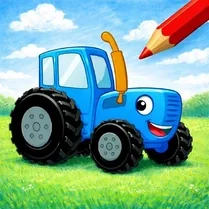
Common Core State Standards
Every game supports specific Common Core standards. Browse the full standards library.
Practice by Skill
Games by Grade
What is Coloring game for kids 6 years old
Step into a playful world of coloring fun, made just for little hands and big imaginations. Grab a virtual crayon and see what you can create.
How to Play
Choose a picture from the collection, then tap a color on the side palette. Tap or drag across the blank areas to fill them with that color.
Tips for Playing
- Start with larger areas first to get a feel for the brush size.
- Use the undo button if you color outside a line—it’s quicker than erasing.
- Try pairing light and dark shades to make your artwork pop.
- Tap the zoom button to work on tiny details without missing a spot.
- Save your finished picture to the gallery to see how your style grows.
Frequently Asked Questions
Is this game suitable for a child who doesn't know how to read yet?
Yes, all buttons are visual icons, so a six-year-old can navigate independently without needing to read.
Can my child save their coloring creations?
Absolutely, each finished picture can be saved to an in-app gallery that acts like a personal art book.
Are there different themes to choose from?
The game includes several themed packs, such as animals, vehicles, and fantasy scenes, to keep interest fresh.
What happens if my child makes a mistake?
There's an undo button that reverses the last action, and an eraser tool for more precise corrections.
Is there any time limit or scoring?
No, the game is designed to be pressure-free, with no timers or points, encouraging relaxed creativity.
Can multiple children use the same device?
Yes, each saved artwork is stored separately, so siblings can take turns and build their own galleries.
Related Art Coloring Games
 Color by number: Anime Girls
 Coloring by numbers for kids
 Among Us: Survival Coloring
 Coloring in the Animal World
 Color by number: Barbie
 Coloring book: Minecraft
 Tap To Color: Painting Book
 Brawl Stars Coloring book
 Coloring Book for Kids
 Lilo & Stitch: Coloring Book for Kids
 Italian Brainrot Coloring Book
 Color the girls 3D
 Colouring book Paw Patrol
 Unicorn Coloring
 Cartoon coloring book
 Colouring book The Fixies and Friends
 Digital Circus: Coloring Book
 Sonic Wonder Coloring