Color It in 3D
Color It in 3D turns coloring on its head by offering a gallery of three-dimensional shapes that you can spin, zoom, and paint from every angle. It's not just about filling flat spaces—it's about exploring surfaces, shadows, and textures as you layer colors across polygons, curves, and even simple characters. The arcade twist comes from a gentle time pressure that nudges you to complete each model, but the pace stays calm, making it a perfect escape for quick breaks or long, meditative sessions. Each object is a blank canvas waiting for your personal touch. You can pick from a broad spectrum of shades, adjust brush size, and switch between fill and stroke modes to add outlines or solid blocks of color. The satisfaction comes from seeing how your choices affect the whole piece as you rotate it, revealing hidden nooks and crannies. With dozens of models to unlock, from everyday items to fantasy creatures, there's always a new challenge for your creativity. The game respects your time, letting you save your progress and return later, and it rewards experimentation with smooth, vibrant results.
 WaffleMath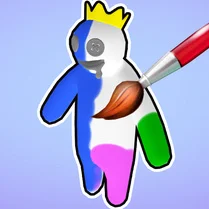
Common Core State Standards
Every game supports specific Common Core standards. Browse the full standards library.
Practice by Skill
Games by Grade
What is Color It in 3D
Dive into a relaxing twist on coloring, where every object is a 3D canvas you can rotate and paint from any angle. Pick your colors, spin the model, and watch your artwork come to life in three dimensions.
How to Play
Select a 3D model from the gallery, then use your mouse or finger to rotate it and reveal areas to color. Choose a color from the palette, tap on a surface to paint it, and switch brush modes to fill or outline as you like.
Tips for Playing
- Start with large surface areas to get the feel, then move to details for better control.
- Use the rotate feature frequently to spot unpainted spots hidden from your initial view.
- Experiment with the fill mode for large regions, but switch to stroke mode for crisp edges.
- Plan a color scheme in advance to keep your model looking cohesive and pleasing.
- If you're not happy with a color, most levels let you undo or repaint, so don't be afraid to try.
Frequently Asked Questions
Can I rotate the 3D model while painting?
Yes, you can rotate the model at any time with a drag or swipe, allowing you to reach every side and angle.
Is there a time limit to finish coloring?
Some levels have a gentle timer that adds arcade flair, but there's no harsh penalty for taking your time.
How do I change the color of a specific area?
Simply pick a new color from the palette and tap the area again; it will repaint instantly.
Can I save my work?
Progress is automatically saved for the current model, so you can leave and return to finish it later.
Are there different brush sizes?
Yes, you can adjust brush size to color small details or cover large areas quickly.
What happens when I finish all models?
New and more complex models unlock as you complete previous ones, keeping the collection fresh.
Related Art Coloring Games

 Color Story - paint journey
 Big coloring by numbers
 Mandala Coloring Book
 Brainrot: coloring
 Tap To Color: Painting Book
 Italian Brainrot Coloring Book
 Simple Sketch! ASMR Art Coloring
 Cartoon coloring book
 Wool Coloring
 Flowers Coloring Book
 College Girls Coloring
 Amazing Coloring book
 Avatar World: ACMP coloring book
 Avatar World: The Best Coloring Book
 Avatar World Coloring
 Ballerina Capuchino: Coloring
 Dragons and Toothless Coloring
 Easy Coloring ASMR