Avatar World: The Best Coloring Book
Avatar World: The Best Coloring Book offers a calming, immersive creative space where you can transform black-and-white line art into vibrant works of art. You'll find a diverse collection of avatars and fantasy figures, from playful characters to mythical beings, each with intricate details waiting for your personal touch. The game provides an extensive color selection, allowing you to blend shades seamlessly and apply eye-catching gradients or sparkly effects to make your artwork stand out. This isn't just about filling spaces; it's about expressing yourself. As you work, the gentle, stress-free environment lets you relax and focus on the creative process. Whether you're a casual doodler or an aspiring digital artist, the intuitive controls and wide array of tools make it easy to experiment. Once you're satisfied with your creation, you can show it off to the community or keep it as your own digital keepsake. With endless combinations and a peaceful vibe, it's a delightful escape for anyone who loves color and imagination.
 WaffleMath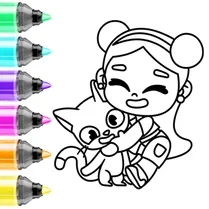
Common Core State Standards
Every game supports specific Common Core standards. Browse the full standards library.
Practice by Skill
Games by Grade
What is Avatar World: The Best Coloring Book
Step into a world of creativity and calm with Avatar World: The Best Coloring Book. Unlock your inner artist as you bring characters to life with a rainbow of colors and effects.
How to Play
Select a character from the gallery, then choose your colors and tools from the palette. Tap or click on the areas you want to fill, and use gradients or effects to add depth and sparkle to your design.
Tips for Playing
- Start with a light color base to establish the overall mood, then layer darker shades for contrast.
- Use the gradient tool to create smooth transitions, like a sunset sky or a glowing aura.
- Experiment with special effects like sparkles or stars to highlight key features of your character.
- Take breaks if you're aiming for a complex design; a fresh eye can help you spot areas that need more detail.
- Save your work frequently if the game offers a save option, so you can revisit and refine your masterpiece.
Frequently Asked Questions
Can I save my colored creations?
Yes, the game typically allows you to save your finished art to your device or in-game gallery, so you can keep or share it later.
Are there different difficulty levels?
While there's no explicit difficulty setting, characters vary in complexity, from simple designs to highly detailed ones, so you can choose based on your skill level.
Is there a way to undo my last action?
Most coloring apps include an undo button; check the toolbar for an arrow icon to revert changes you don't like.
Can I use my own colors or only the pre-set palette?
You're generally limited to the provided color palette, but it's extensive, giving you plenty of shades to work with.
Do I need to be online to play?
Once the game is loaded, you can usually play offline, but some features like community sharing may require an internet connection.
Can I print my finished coloring pages?
That depends on the platform; some versions allow you to export images, which you could then print, but it's not a core feature.
Related Art Coloring Games
 Avatar World: ACMP coloring book
 Avatar World Coloring
 Color Story - paint journey
 Big coloring by numbers
 Mandala Coloring Book
 Brainrot: coloring
 Tap To Color: Painting Book
 Color It in 3D
 Italian Brainrot Coloring Book
 Simple Sketch! ASMR Art Coloring
 Cartoon coloring book
 Wool Coloring
 Flowers Coloring Book
 College Girls Coloring
 Amazing Coloring book
 Ballerina Capuchino: Coloring
 Dragons and Toothless Coloring
 Easy Coloring ASMR