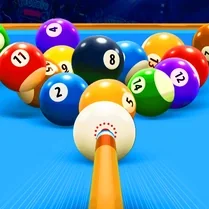
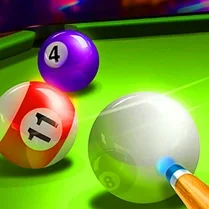
Billiard vs Computer
Billiard vs Computer drops you into a sleek, realistic pool hall where the only thing standing between you and victory is a sharp-witted digital opponent. This isn't just about knocking balls around; it's a chess match on green felt. You'll need to read the table, plan your shots several moves ahead, and decide when to play safe or go for the spectacular pot. The physics engine delivers satisfyingly authentic ball behavior, from the crisp click of contact to the way spin and pace affect your cue ball's path. Your AI rival isn't a pushover. It studies your shots, adapts its tactics, and will punish careless mistakes. Whether you're a seasoned player looking for a real challenge or a newcomer eager to learn the ropes, this game offers a deep and rewarding experience. The clean, intuitive interface lets you focus on the purity of the game, while the adjustable difficulty ensures the match stays tense, whether you're just warming up or fighting for the championship.
 WaffleMath
Common Core State Standards
Every game supports specific Common Core standards. Browse the full standards library.
Practice by Skill
Games by Grade
What is Billiard vs Computer
Take a seat at the table and face a worthy opponent in a game of skill, strategy, and precision. It's just you, the balls, and the satisfying thud of a well-struck shot.
How to Play
Use your mouse to aim by moving the cursor and drag back to control the power of your shot. Keep an eye on the cue ball's spin and position to set up your next move.
Tips for Playing
- Always look for the easiest ball to pot first, but also think about where the cue ball will land for your next shot.
- Master the art of topspin to follow the cue ball forward and bottom spin to draw it back into better position.
- Don't always go for the spectacular shot; sometimes playing safe and leaving your opponent a tough table is smarter.
- Watch how the AI plays and learn from its approach to angles and pace.
- Keep your cue action smooth and controlled—power isn't everything, accuracy is key.
Frequently Asked Questions
How do I control the power of my shot?
Drag the mouse backward from the cue ball to set your power, then release to shoot. The farther you drag, the harder you hit.
What happens if I pot the cue ball?
Potting the cue ball is a foul. Your opponent gets ball-in-hand, meaning they can place the cue ball anywhere on the table for their next shot.
Can I play with a friend?
No, this game is designed for single-player play against the computer AI.
What is the goal of the game?
The goal is to legally pot all of your assigned balls (either solids or stripes) and then finish by potting the 8-ball.
How do I add spin to the cue ball?
Before taking your shot, you can adjust the spin by clicking on the cue ball or using the spin controls to add topspin, backspin, or sidespin.
What happens if I pot the 8-ball early?
If you pot the 8-ball before clearing your group of balls, you lose the game immediately.