Arcade Billiard
Arcade Billiard brings the classic game of pool to your screen with a focus on realistic ball dynamics and intuitive aiming. Whether you're a seasoned pro or new to the table, the game offers a satisfying blend of skill and strategy. Each match plays out on a beautifully rendered table with smooth controls that respond to even the subtlest adjustments in power and spin. The game's physics engine ensures every collision and bank shot feels authentic, adding depth to each break and follow-up shot. Challenge yourself across a variety of table layouts that test your precision and planning. As you progress, you'll face increasingly difficult shots that require careful thought about angles and cue ball placement. The game is designed to be accessible, letting you jump straight into a match, while still offering enough complexity to keep you coming back for more. With its clean visuals and engaging gameplay, Arcade Billiard delivers a pure and polished pool experience that you can enjoy at your own pace.
 WaffleMath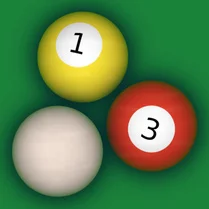
Common Core State Standards
Every game supports specific Common Core standards. Browse the full standards library.
Practice by Skill
Games by Grade
What is Arcade Billiard
Step up to the table and put your cue skills to the test. Arcade Billiard offers a straightforward yet rewarding pool experience.
How to Play
Aim by dragging your mouse or finger to set the direction and power of your shot, then release to strike the cue ball. Pocket all your assigned balls (solids or stripes) and finish with the 8-ball to win the match.
Tips for Playing
- Take your time to line up shots and account for the cue ball's position after impact.
- Use backspin or topspin to control the cue ball's position for your next shot.
- Look for easy bank shots when a direct line to the pocket is blocked.
- Practice your break to spread the balls favorably and start with an open table.
- Plan two shots ahead to avoid leaving your opponent an easy opportunity.
Frequently Asked Questions
Can I play Arcade Billiard on my phone?
Yes, the game works on most mobile devices and tablets, with touch controls for aiming and shooting.
What are the rules for the 8-ball?
The 8-ball is the last ball you must pocket. If you sink it before clearing your group, you lose the frame.
How do I apply spin to the cue ball?
You can adjust spin by moving the aiming reticle slightly off-center or using a spin indicator if available in the controls.
What happens if I scratch (pocket the cue ball)?
A scratch typically results in your turn ending and your opponent getting a ball-in-hand advantage.
Are there different table styles?
Yes, the game includes multiple table layouts and designs that offer varied visual themes, though the core rules stay the same.
Can I play against a friend?
The game focuses on single-player matches against an AI opponent, so there's no local multiplayer mode currently.
Related Sports Games
 Snooker
 Real Pool 3D
 Billiard City - Pooking
 American pool
 Billiards Pool - Eight
 3D Pool Ball
 8 Ball Pool Billiard
 8 Ball Pro
 The Best Russian Billiards
 Billiard
 Billiards 3D: Russian Pyramid
 Billiards Classics
 Billiards: League of Masters
 Billiards. Puzzle.
 Billiard vs Computer
 Classic Billiard
 Eco Pool Online
 Pool Mania