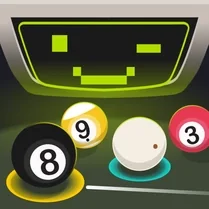
3D Pool Ball
3D Pool Ball brings the classic game of eight-ball to your screen with a polished three-dimensional table that responds to every strike with lifelike accuracy. Instead of just tapping balls, you'll need to study the layout, plan your approach, and account for spin, speed, and angles to outmaneuver your opponent. The clean visuals and smooth camera make it easy to line up your shots, while the physics engine ensures no two breaks feel exactly alike. As the game progresses, each rack presents a fresh tactical puzzle. You'll find yourself weighing aggressive plays against safer, defensive moves—should you pocket a tricky ball now or set up a better position for your next turn? The challenge grows as you master the art of the bank shot and learn to control the cue ball's path. Whether you're a seasoned pool shark or a newcomer to the sport, the intuitive controls and responsive feedback keep you dialed in from the opening break to the final eight-ball.
 WaffleMath
Common Core State Standards
Every game supports specific Common Core standards. Browse the full standards library.
Practice by Skill
Games by Grade
What is 3D Pool Ball
Take a seat at the table and test your cue skills in a realistic 3D billiards environment. Every game is a new test of accuracy, patience, and clever shot-making.
How to Play
Aim your cue by moving the mouse to set the direction, then adjust power with a slider or by dragging back before releasing to shoot. Use the left mouse button to strike the cue ball, and try to pot all your assigned balls, then finish with the 8-ball.
Tips for Playing
- Always look for the simplest shot first—don't force a tough angle when a straight shot is available.
- Use backspin to stop the cue ball after contact, which helps you stay in position for the next shot.
- When planning a bank shot, remember that the angle of reflection equals the angle of incidence.
- Take your time to walk around the table mentally before each shot; rushing leads to missed pockets.
- If you're stuck, try a safety shot to leave your opponent a difficult table, rather than risking a scratch.
Frequently Asked Questions
What is the objective in 3D Pool Ball?
The goal is to pocket all of your designated balls (solids or stripes) and then legally sink the 8-ball to win the game.
How do I control the power of my shot?
You control power by moving the mouse backward or dragging a power meter before releasing the shot button. More power means a faster, stronger hit.
Does the game include different table types or game modes?
Yes, 3D Pool Ball offers various table styles and may include modes like 8-ball, practice, or time challenges, though the core gameplay focuses on standard pool rules.
What happens if I scratch (pot the cue ball)?
If you pocket the cue ball, your turn ends, and your opponent gets ball-in-hand to place the cue ball anywhere on the table.
Are there any special shots like jump or masse in this game?
The game emphasizes standard shots and bank angles, but advanced spin and power control allow you to perform slice or follow shots for more creative plays.
Can I play against a friend or only the computer?
The game typically features a single-player mode against an AI opponent, but some versions may offer a two-player local option. Check the game menu for available modes.
Related Sports Games
 Snooker
 Real Pool 3D
 Billiard City - Pooking
 Arcade Billiard
 American pool
 Billiards Pool - Eight
 8 Ball Pool Billiard
 8 Ball Pro
 The Best Russian Billiards
 Billiard
 Billiards 3D: Russian Pyramid
 Billiards Classics
 Billiards: League of Masters
 Billiards. Puzzle.
 Billiard vs Computer
 Classic Billiard
 Eco Pool Online
 Russian billiard