SoloCraft
SoloCraft is a sandbox experience that puts the power of creation directly in your hands. From the moment you step into its vibrant world, you'll find yourself surrounded by an endless palette of blocks, each one a potential building block for your imagination. Whether you're sketching out a cozy cabin for a quiet retreat or laying the foundations for a sprawling metropolis, the environment responds to your every command. The joy of SoloCraft lies not in reaching a final goal, but in the journey of shaping your surroundings to match your vision. What sets SoloCraft apart is the sheer freedom it offers. There are no strict missions or time limits to worry about; instead, you're free to experiment with different materials, colors, and shapes. You might start with a simple tower, only to find yourself adding bridges, parks, and underground tunnels. The game encourages you to think big, but also rewards the small details that make your world feel uniquely yours. As you place each block, you'll watch your personal landscape evolve, and with every new addition, the satisfaction of seeing your ideas come to life grows. SoloCraft is more than just a game—it's a canvas for your creativity.
 WaffleMath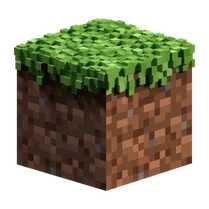
Common Core State Standards
Every game supports specific Common Core standards. Browse the full standards library.
Practice by Skill
Games by Grade
What is SoloCraft
Step into a world where your imagination is the only limit. SoloCraft invites you to build, explore, and create at your own pace.
How to Play
To play SoloCraft, select a block from your inventory and place it in the world using your mouse or touch controls. You can rotate your view, fly around, and remove blocks just as easily, so you can build anything from the ground up.
Tips for Playing
- Start with a small project, like a simple shelter, to get a feel for the building mechanics.
- Experiment with different block types to discover interesting textures and colors for your builds.
- Use the fly mode option to get a bird's-eye view of your construction and plan your next steps.
- Don't be afraid to tear down and rebuild sections—sometimes the best ideas come from starting over.
- Keep a mental map of where you've placed rare blocks so you can revisit them for future projects.
Frequently Asked Questions
Can I play SoloCraft without an internet connection?
SoloCraft is designed to run in your browser, so you'll need an internet connection to load the game. Once it's loaded, you might be able to play offline depending on your browser's settings.
Are there any enemies or dangers in SoloCraft?
No, SoloCraft is a peaceful building experience. There are no enemies or hazards, so you can focus entirely on creating your world without interruptions.
How do I save my progress in SoloCraft?
Your creations are automatically saved to your browser's local storage. If you clear your browser data, you may lose your work, so be sure to export your world if the game offers that option.
Can I share my SoloCraft builds with friends?
Yes, you can take screenshots of your builds and share them on social media or with friends. Some versions of the game also allow you to export your world as a file to share.
Is there a limit to how many blocks I can place?
There is generally no strict limit, but performance may slow down if you place an extremely large number of blocks. It's best to build efficiently to keep the game running smoothly.
Does SoloCraft work on mobile devices?
Yes, SoloCraft is designed to work on both desktop and mobile browsers. Touch controls are supported, so you can build on your phone or tablet as well.
Related Sandbox Building Games
 BlockWorld Sandbox - Craft simulator
 Square World Building
 Block Sandbox Playground
 BlockWorld: Creative Online
 Blocky World 3D: Creative Mode!
 Infinite Craft
 Lego constructor
 Sandbox
 3D Labubu Sandbox
 SCP sandbox online
 Sandbox 3D
 Random sandbox
 Lego Master!
 Craft World
 Builder
 Construction Set - 3D Builder
 Geometry MOD 5: Create a Playground map!
 Build and Destroy: Sandbox