Robby-Obby. Right Color Block!
Robby-Obby. Right Color Block! drops you into a bright, chunky world where every path is built from colored barriers. Your goal is simple: steer Robby onto the block that matches the current target hue while avoiding the mismatched ones that send him back to the start. The catch is that the target color changes as you progress, and the obstacles shuffle with each leap, keeping your brain and reflexes equally busy. This arcade challenge is all about fast decisions and steady thumbs. Each stage introduces a fresh arrangement of blocks, demanding that you read the scene in a split second and commit to a move. It's a satisfying loop for short play sessions—perfect for a quick mental break or a longer stretch of beating your own best run. There's no story to follow, just pure pattern matching and dodging, wrapped in a clean, playful visual style that stays easy on the eyes.
 WaffleMath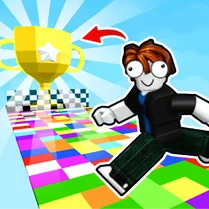
Common Core State Standards
Every game supports specific Common Core standards. Browse the full standards library.
Practice by Skill
Games by Grade
What is Robby-Obby. Right Color Block!
Jump into a color-dodging race where matching the right block is the only way forward. Robby needs your quick eye to survive each shifting course.
How to Play
Control Robby with the arrow keys or swipe gestures to move between blocks. When a color target appears, guide him onto the matching block before the timer runs out or the platform changes.
Tips for Playing
- Always glance at the next target color before you leap so you're ready for the next block.
- Use the edges of the screen to get a wider view of the upcoming layout.
- Don't rush—wait for the platforms to stop shifting before you commit to a move.
- Memorize the pattern of color changes in early levels, since they often repeat with slight variations.
- If you keep failing, slow down and study the sequence rather than spamming inputs.
Frequently Asked Questions
What happens if I step on the wrong color block?
Robby gets bounced back to the last safe spot, and you lose a small amount of progress. You can try again immediately.
Can I change the difficulty level?
The game ramps up naturally as you advance, but there are no manual difficulty sliders. The early levels are slower to help you learn the basics.
Is there a time limit for each stage?
Each stage has a short timer displayed at the top. If it runs out, you restart that section, so speed and accuracy both matter.
Does the game work on mobile devices?
Yes, it's built for browsers and supports touch controls, so you can play on phones and tablets without any extra setup.
Are there any power-ups or special abilities?
Power-ups appear occasionally, like a slow-motion effect or a shield that lets you pass one wrong block safely. They're random, so use them wisely.
Can I pause the game in the middle of a stage?
You can pause by pressing the pause button or the Escape key. The timer freezes, letting you catch your breath before continuing.
Related Obby Parkour Games
 Robbie: Parkour for Noobs
 Color Adventure
 Mines vs Robls: Obby platform
 Obby stand on the right color
 Robbie: The Path to Strength
 Robix Obby World
 Only Up
 Geometry Dash
 Fun Obby
 Geometry Dash 2.2
 Geometry Dash 2.2: Arrow
 Geometry Dash 2D
 Geometry Dash: Arrow 2.2
 Vex 8
Vex 8 Obby online
 Geometry Dash 2.2: New Arrow
 Robby Racing Parkour
 Obby: Supereasy Parkour