Racing Cars
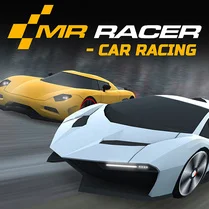
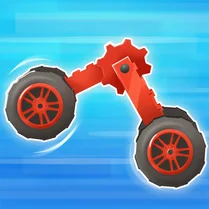
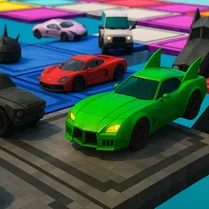
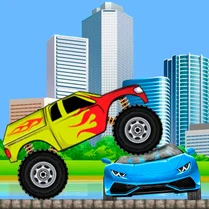
Racing Cars puts you behind the wheel of a sleek machine, ready to take on a field of AI drivers across a range of visually distinct circuits. Each track brings its own personality, from tight city corners to sweeping coastal roads, all littered with hazards like cones, barriers, and uneven surfaces. The thrill comes from balancing aggressive overtaking with precise cornering, as even a small mistake can drop you down the order. With a simple but responsive control scheme, you can drift through bends, clip apexes, and fire off nitro at the perfect moment to surge past rivals. Beyond the basic race, the game rewards smart use of your boost meter, which fills as you drive cleanly and take risks. Learning the layout of each track and anticipating where the AI will slow down gives you the edge needed to climb from mid-pack to the front. Whether you are chasing a personal best or trying to top the leaderboard, every lap demands focus and a willingness to push your car to its limit. The result is a fast, approachable racing experience that keeps you coming back for one more attempt at perfection.
 WaffleMath
Common Core State Standards
Every game supports specific Common Core standards. Browse the full standards library.
Practice by Skill
Games by Grade
What is Racing Cars
Racing Cars drops you straight into competitive lap action with AI opponents ready to challenge your skills. Master the tracks, time your boosts, and push for the win.
How to Play
Use the arrow keys or WASD to steer, accelerate, and brake, and press the spacebar (or assigned nitro key) to activate your boost. Stay on the racing line, dodge obstacles, and cross the finish line ahead of the AI to win each race.
Tips for Playing
- Brake early for tight corners to avoid spinning out.
- Save your nitro for long straights to maximize its effect.
- Watch the AI's braking points and use them to slip through gaps.
- Collect boost pickups if available, but don't risk crashing for them.
- Practice each track to memorize where the tricky obstacles sit.
Frequently Asked Questions
How do I unlock new cars or tracks?
Progress through the game by winning races or earning points. New vehicles and circuits become available as you complete events or meet specific performance targets.
What are the controls for Racing Cars?
You steer with arrow keys or WASD, accelerate with Up or W, brake with Down or S, and activate nitro with Spacebar. Some versions may allow remapping in the settings menu.
Can I play this game on a mobile device?
Yes, the game is designed to work on touch screens, with on-screen buttons for steering, acceleration, and nitro. The experience is optimized for both desktop and mobile browsers.
How does the nitro boost system work?
Nitro fills as you drive fast, drift, or collect boost items. Once the meter is at least partially full, press the nitro key to get a temporary speed surge. Use it wisely to gain positions or recover from mistakes.
What happens if I crash into an obstacle?
Crashing slows you down significantly and may cause a brief spin or reset to the track. Avoid obstacles to maintain your momentum and avoid losing time.
Is there a multiplayer mode in Racing Cars?
The focus is on racing against AI opponents, but some versions may include a local or online multiplayer option. Check the main menu to see if more modes are available.