Hobby: Racing Simulator
Hobby: Racing Simulator drops you into a world where speed meets style. This arcade racer focuses on the joy of driving, letting you fine-tune your car's appearance and performance to match your preferences. With a selection of tracks that test your reflexes and driving line, each race feels fresh and rewarding. The game strikes a balance between accessible pick-up-and-play mechanics and enough depth to keep you coming back for more laps. Whether you have a few minutes or a longer session, the game's straightforward controls and quick race structure make it easy to jump in. There is no need to worry about complex setups; just choose your vehicle, hit the asphalt, and push for the best time. The visual style is clean and inviting, and the responsive handling gives you a satisfying sense of control. For anyone looking for a casual but engaging racing experience, Hobby: Racing Simulator delivers a practical and enjoyable ride.
 WaffleMath
Common Core State Standards
Every game supports specific Common Core standards. Browse the full standards library.
Practice by Skill
Games by Grade
What is Hobby: Racing Simulator
Get behind the wheel of your own customized car and tackle a variety of tracks in this arcade-style racer. With simple controls and a focus on fun, it is easy to start competing right away.
How to Play
Use the arrow keys or WASD to accelerate, steer, and brake. Drive through checkpoints and cross the finish line before your rivals to win each race.
Tips for Playing
- Master the racing line by braking early and accelerating out of corners for better control.
- Spend time in the garage to adjust your car's handling to match your driving style.
- Pay attention to track hazards, like oil slicks or tight curves, and slow down early.
- Use the rearview mirror to keep an eye on opponents and defend your position.
- Practice on each track to learn the best spots to overtake and gain time.
Frequently Asked Questions
How do I control the car?
Use your keyboard: W or Up Arrow to accelerate, S or Down Arrow to brake, and A/D or Left/Right to steer.
Can I customize my car?
Yes, you can change the color and some performance parts in the garage before a race.
How many tracks are there?
The game offers several different tracks, each with its own layout and difficulty.
Is there a multiplayer mode?
No, Hobby: Racing Simulator is a single-player racing game against AI opponents.
What happens if I crash into other cars?
You will slow down, but there is no damage system, so you can continue racing immediately.
Related Racing Games
 MR RACER - Car Racing
 Drift Hunters
 Extreme Drift
 ACR: City Drift Racing
 Racing Horizon
 Build a cool car
 Extreme Cars Racing
 Gran Turismo
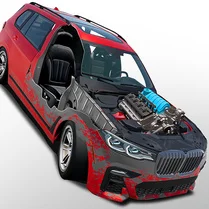 Dream Car: Assemble by Detail
 SuperCar io
 Battle Cars: Wars
 Upgrade your BMW
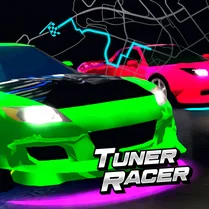 Tuner Racer
 Drifting on Skyline
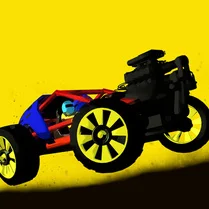 Wild Cars
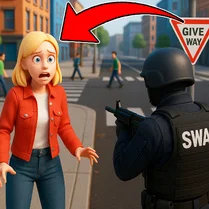 City of Bandits. Car Theft
 Car Master: Cybertruck or Lamborghini?
 Tiny cars