Pony Coloring: Games for Girls
Pony Coloring: Games for Girls offers a peaceful digital coloring book where every page features a different pony waiting for your artistic touch. With a selection of outlines ranging from playful foals to majestic steeds, you can experiment with countless color combinations. The interface is straightforward, allowing you to switch between a precise brush and a bucket fill tool, making it easy to cover large areas or add fine details. Whether you want a realistic palette or a fantasy explosion of hues, the choice is entirely yours. The experience is designed to be calm and engaging, with no timers or scores to worry about. You can take your time, undo any missteps, and re-color a section as many times as you like. When you're satisfied with your masterpiece, you can save it to your device to share with friends or keep as a memento. It's a simple, delightful way to unwind and let your imagination run wild, one pony at a time.
 WaffleMath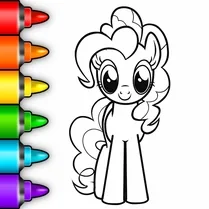
Common Core State Standards
Every game supports specific Common Core standards. Browse the full standards library.
Practice by Skill
Games by Grade
What is Pony Coloring: Games for Girls
Pony Coloring: Games for Girls is a delightful digital coloring experience where you can bring pony illustrations to life with your favorite shades and tools.
How to Play
Select a pony template, then choose a color and a tool—like the brush or fill bucket—to apply it to the canvas. Use the palette and adjust sizes to add details or cover large areas, and hit save when you like the result.
Tips for Playing
- Start with lighter colors for the body and add darker shades for depth in the mane and tail.
- Use the fill tool for large areas to save time, then switch to the brush for small details.
- Try complementary colors like purple and yellow to make your pony stand out.
- If you make a mistake, use the undo button instead of starting over.
- Experiment with different brush sizes to create textures like fur or sparkles.
Frequently Asked Questions
Can I undo a color mistake?
Yes, there is an undo button that lets you step back through your last actions to correct any errors.
Are there different pony designs to color?
Absolutely, the game offers multiple pony templates with different poses and features for you to choose from.
Can I save my colored pony?
Yes, you can save your finished artwork to your device so you can keep it or share it with others.
Is there a time limit or scoring?
No, the game is purely creative with no timers or scores, so you can color at your own pace.
How do I change the color on the brush?
Simply pick a different color from the palette, and the brush will use that new color immediately.
Can I print my colored pony?
While the game doesn't have a direct print button, you can save the image and print it through your device's editing tools.
Related Art Coloring Games

 The best Mine coloring book
 Paint by Number
 ASMR coloring book- Draw and Color
 ASMR Coloring Pages & Drawing
 Phone Case Coloring & Design - Casual DIY Game
 Mandala Coloring Book
 Antistress coloring page
 Brainrot: coloring
 Chill Pixel: Paint by Numbers
 Lilo & Stitch: Coloring Book for Kids
 Paper Color Painting
 Simple Sketch! ASMR Art Coloring
 Cartoon coloring book
 Wool Coloring
 3D Coloring Book: Cars
 Dolls Coloring Game for girls
 Сoloring anime
 Simple Sketch 2! ASMR Art Coloring