Park your car: Parking simulator!
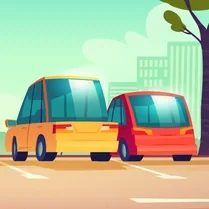
Park your car: Parking simulator! puts you behind the wheel of a detailed virtual vehicle where every parking spot becomes a fresh challenge. The game drops you into realistic environments—busy city streets, cramped underground garages, and open-air lots—each filled with obstacles that test your control and patience. You'll guide your car through tight gaps, align it perfectly with painted lines, and execute precise maneuvers without dinging the bumper. With responsive controls and a physics-driven feel, every successful stop delivers a satisfying sense of accomplishment. The core loop is simple to grasp but hard to master: pick a level, assess the space, and ease your way into the designated zone. Scenarios ramp up in difficulty, introducing narrow corridors, moving hazards, and steep inclines that require careful throttle and steering input. Whether you're a novice learning the basics of parallel parking or a veteran polishing your reverse skills, the game offers a relaxed yet engaging test of coordination. No timers or pressure—just you, the car, and the spot, waiting to be conquered.
 WaffleMath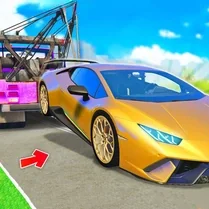
Common Core State Standards
Every game supports specific Common Core standards. Browse the full standards library.
Practice by Skill
Games by Grade
What is Park your car: Parking simulator!
If you've ever wrestled with a tricky parking spot, this simulator turns that everyday annoyance into a fun puzzle. Hone your precision and patience as you squeeze into spaces that feel just out of reach.
How to Play
Use the arrow keys or WASD to accelerate, brake, and steer your car; on touch devices, use the on-screen steering wheel and pedals. Guide your vehicle into the highlighted parking zone, avoiding walls and other cars, then stop within the marked area to complete the level.
Tips for Playing
- Take it slow—gentle taps on the accelerator give you much better control than sudden inputs.
- Use your mirrors and the overhead camera to keep an eye on all sides of your vehicle.
- Practice reversing; many tight spots are far easier to enter backwards than forwards.
- Align your car early with the parking spot to reduce the need for sharp corrections.
- When possible, straighten the wheels before stopping to make final adjustments simple.
Frequently Asked Questions
What are the basic controls for the game?
You can use the arrow keys or WASD on a keyboard to drive. On mobile, use the on-screen controls to steer and control speed.
How do I know where to park?
Look for a highlighted zone on the ground, usually marked with bright paint or a parking space outline. You need to bring your car to a stop inside that area.
What happens if I hit an obstacle or another car?
Hitting an obstacle will often cause a slight penalty or make you restart the level, depending on the difficulty. It's best to avoid contact entirely.
Are there different difficulty levels?
Yes, the game includes multiple levels or scenarios that gradually increase in complexity, from simple street parking to multi-point reverse maneuvers.
Is there a time limit in the game?
No, there is usually no countdown timer. You can take as much time as you need to carefully position your car.
Can I play with a steering wheel or gamepad?
The game is primarily designed for keyboard and touch controls, but some players have managed to map gamepads using third-party tools. Support varies by platform.
Related Racing Games
 Parking Fury 2
 Parking Pro
 Extreme Car Parking
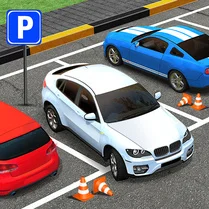 Time To Park
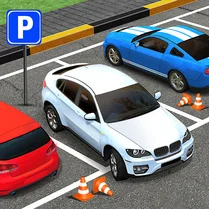 Parking Hero 3D: City Jam
 Parking Simulator
 City Parking
 Crazy Cars Drift & Parkour
 Parking Station
 Traffic jam in the parking lot
 Parking Car: Parking Jam
 Harbor Parking
 Parking Jam: Car Parking
 Parking jam: Pro
 Obby: Grow Your Car Park! Brainrot Cars Tycoon +1
 Car OUT! Jam Parking Puzzle
 Car Park
 Car Parking