Obby: space skateboard
Obby: Space Skateboard drops you onto a neon-lit hoverboard drifting through a sprawling network of asteroid fields, space stations, and orbital platforms. The core loop is simple: keep your balance, avoid the glowing hazards scattered across each route, and push your speed to the limit. Every level introduces fresh twists, from rotating barriers and gravity shifts to moving walkways that test your timing and reflexes. What sets this arcade experience apart is how effortlessly it blends movement with chaos. You are not just steering—you are weaving through tight gaps, carving around corners, and occasionally launching off ramps to catch air. The visual style leans into sleek sci-fi aesthetics, with vibrant particle trails and a pulsing soundtrack that keeps the adrenaline up. Whether you have a few minutes or a long session, the bite-sized levels make it easy to jump in and chase a better run.
 WaffleMath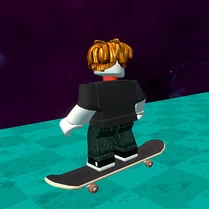
Common Core State Standards
Every game supports specific Common Core standards. Browse the full standards library.
Practice by Skill
Games by Grade
What is Obby: space skateboard
Grab your board and blast off into a neon-drenched obstacle course floating high above the planets. Every run is a test of timing, balance, and nerve.
How to Play
Use the arrow keys or on-screen buttons to steer your skateboard, and tap the jump button to leap over gaps or clear barriers. Keep an eye on your balance meter to avoid wiping out on sharp turns or bumps.
Tips for Playing
- Lean into turns early to keep your balance meter stable and avoid sudden stops.
- Time your jumps to clear moving obstacles just as they slide out of your path.
- Collect glowing orbs scattered along the track to boost your score and unlock new boards.
- If you are about to crash, aim for a softer landing zone like a flat ramp instead of a wall.
- Replay earlier levels to memorize hazard patterns and shave seconds off your best time.
Frequently Asked Questions
What devices can run Obby: Space Skateboard?
It runs smoothly in any modern web browser on desktop, laptop, tablet, or smartphone with a touchscreen. No special hardware is needed.
Is there a score or leaderboard system?
Yes, the game tracks your score based on tricks, distance, and collected items. You can compare recent runs with your personal best.
Can I change the controls?
On desktop, you can remap the keyboard keys from the settings menu. On mobile, the touch controls are fixed but adjustable in sensitivity.
What happens if my balance meter empties?
When the meter drops to zero, your character falls off the board and the run ends. You can restart the level instantly from the checkpoint.
Are there different skateboards to unlock?
Yes, completing challenges and collecting enough orbs unlocks new boards, each with slightly different handling or visual effects.
Does the game require an internet connection?
An internet connection is needed to load the game, but once it is running, the entire level set works offline in the same session.
Related Obby Parkour Games
 Obby: Tower to the Stars
 Obby: +1 to Space Flight
 Fun Obby
 Italian Brainrot Obby Parkour
 2000 Stairs to VIP Obby
 +1 to Neck Length per Second: Obby!
 Obby: Arena of Power
 Obby: Tower of Hell
 Obby Escape: Gym Arm Wrestling
 Obby web
 Speed per Click: Obby
 Obby online
 Aesthetic Obby
 Fortline! Obby Shooter
 Tower of Hell
 Noob: Obby on a Bike
 Aesthetic World of Obby
 Gunfight Arena: Obby shooter