Obby: +1 to Space Flight
Obby: +1 to Space Flight flips the classic obstacle course formula into a cosmic playground. You take control of a small rocket and must weave through a series of floating platforms, rotating barriers, and moving traps that test your timing and control. Each stage introduces a fresh gimmick—shifting gravity wells, sliding walls, or narrow corridors—keeping every attempt tense and rewarding. The game's charm lies in its minimalist visuals and snappy physics, where one wrong nudge sends you tumbling back to the start. As you climb higher, the challenges become more demanding, but the sense of progress is palpable. Reaching the next checkpoint feels like a triumph, and the final push through the stratosphere delivers a satisfying payoff. Whether you're a fan of precision platformers or just looking for a quick mental workout, this arcade adventure offers a clean, focused experience that's easy to pick up but hard to put down.
 WaffleMath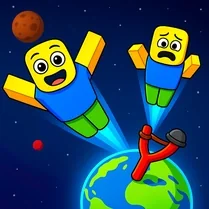
Common Core State Standards
Every game supports specific Common Core standards. Browse the full standards library.
Practice by Skill
Games by Grade
What is Obby: +1 to Space Flight
Blast off into a sky full of obstacles and test your piloting skills. Every bounce and boost brings you one step closer to the stars.
How to Play
Use the arrow keys or on-screen controls to steer your rocket left and right, and tap the thrust button to move upward. Navigate through each course without crashing into obstacles to advance to the next zone.
Tips for Playing
- Always plan your trajectory a few seconds ahead, since obstacles move in patterns.
- Use short, controlled thrusts instead of holding the button down to avoid overshooting.
- Watch for gaps in moving barriers and time your pass through them.
- If you get stuck, try a slightly slower approach to learn the obstacle rhythm.
- Look for visual cues—color changes often signal a switch in obstacle behavior.
Frequently Asked Questions
Can I pause the game mid-flight?
Yes, there is a pause button in the corner so you can take a break and return right where you left off.
What happens if I hit an obstacle?
Your rocket will respawn at the last checkpoint you passed, and you'll lose a bit of progress but not the whole level.
Are there multiple difficulty levels?
The game gradually increases difficulty as you progress, with later stages introducing faster and more complex hazards.
Is there a way to skip a level?
No, levels must be completed in order, but you can replay earlier ones to practice your skills.
Does the game support keyboard and touch controls?
Yes, it works with arrow keys on desktop and touch controls on mobile devices, so you can play anywhere.
Why does my rocket feel heavy after a big jump?
That's the game's momentum system—stronger boosts require a bit more gravity to settle, so plan your landings carefully.
Related Obby Parkour Games
 Italian Brainrot Obby Parkour
 Obby: Tower of Hell
 Aesthetic Obby
 Aesthetic World of Obby
 ROBUX Obby: Best parkour!
 Obby: Supereasy Parkour
 Obby Tower Parkour Climb
 Obby Sahur Parkour
 Obby: space skateboard
 Obby Steal a Brainrot Playground
 Obby Parkour: Tower
 Obby but You're on a Pogo
 Super Easy Obby Parkour
 Obby: Tower Of Hell Parkour
 Obby: Anti Parkour
 Robbie: Easy Parkour Obby
 Legendary Obby +1 Block Per Second
 Obby Fruit Tower: Parkour!