My Talking Floppa
My Talking Floppa puts you in charge of a delightfully odd, large-eared creature with a personality that shines through every wiggle and blink. Rather than a complex pet simulator, this is a laid-back digital companion built around instant reactions and silly voice playback. Speak into your microphone, and the fuzzy mascot will toss your words back with a goofy, distorted twist that rarely fails to land a chuckle. Each tap, drag, or poke triggers a new motion, letting you discover what makes this eccentric animal tick at your own pace. The charm lives in the details: the subtle eye darting, the occasional flop of those enormous ears, and the way it seems to listen before puffing out a response. There is no score to chase or level to beat, just an open sandbox of small interactions designed for pure distraction. Whether you have a spare minute between tasks or want to unwind at the end of the day, the experience stays light and cheerful. With simple controls and an instant feedback loop, it is an easy recommendation for anyone who enjoys virtual curiosities that never take themselves too seriously.
 WaffleMath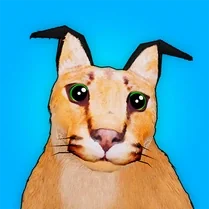
Common Core State Standards
Every game supports specific Common Core standards. Browse the full standards library.
Practice by Skill
Games by Grade
What is My Talking Floppa
Meet a huge-eared companion with a talent for vocal mimicry and a flair for dramatic reactions. Tap, talk, and poke to see what odd behavior comes next.
How to Play
Use your mouse or finger to tap and drag around the creature, then press the microphone button and speak to hear your voice play back in a silly pitch-shifted echo. There is no goal or timer, so explore the interactions and have fun.
Tips for Playing
- Try speaking at different volumes to hear how the pitch shift changes your voice.
- Tap various spots on the body to trigger distinct reactions you might otherwise miss.
- Use short, rhythmic phrases to get the most comedic distorted echoes.
- Wait a few seconds after an interaction to see if the creature does something unexpected on its own.
- If reactions feel unresponsive, check your browser's microphone permission settings.
Frequently Asked Questions
Does this game actually record my voice?
The game uses your microphone to capture audio only for the live voice effect; nothing is saved or uploaded to a server in most versions.
Will the game work without a microphone?
Yes, but the voice mimicry feature will be unavailable. You can still enjoy all the tap-based reactions and animations.
Is there a way to change the creature's appearance?
This particular build focuses on the core interaction, so customization options are not included and the creature stays true to its original design.
Why is the sound garbled or delayed?
A slight delay or wobble in playback is intentional to create the comedic effect. If it seems excessive, close other browser tabs to free up processing power.
Can I play on a tablet or phone?
Yes, the interface is responsive and supports both touch input and the microphone on mobile devices.
Related Simulation Tycoon Games

 My Talking Angela: 3
 Mouse for cat
 Cats Destroyers
 Meme cats: Tamagochi
 My Talking Labubu: Original Secret Toy for Kids
 Cat vs Granny! Ragdoll sandbox
 Call Sprunki Right Now!
 Lady Bug and Cat Noir Call: Chat Prank, Video Call
 Kitten vs Gas mask
 Cat Nap: Party Time!
 Merge a cat meme
 Snowboard Cats
 Cat house. My dear friend kitten.
 Troll cat Juan
 Cats Coloring: Cute and Funny
 Funny Cats: Puzzle
 Mix Banana Cat Meme
 Cat Dremot Calls: Chat Prank and Catnap Stream