Cats Coloring: Cute and Funny
Cats Coloring: Cute and Funny offers a delightful escape into a world of whimsical cat portraits. Each illustration captures the playful spirit of our feline friends, from mischievous kittens to regal cats. With an array of vibrant colors and easy-to-use tools, you can fill these pages with your own creative flair. Whether you have a few minutes or a lazy afternoon, this coloring book provides endless relaxation and fun. The game is designed to be intuitive, ensuring that both kids and adults can jump right in. Simply pick a picture, select your colors, and tap or click to color. You can also adjust brush sizes to add fine details or broad strokes. Once you've finished your work of art, save it to your device or share it with friends and family. With new cat pictures to explore, your creativity will never run out of ideas.
 WaffleMath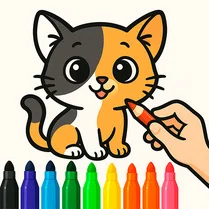
Common Core State Standards
Every game supports specific Common Core standards. Browse the full standards library.
Practice by Skill
Games by Grade
What is Cats Coloring: Cute and Funny
Unleash your inner artist with Cats Coloring: Cute and Funny. It's a cozy, creative space where you can color a variety of adorable cat designs at your own pace.
How to Play
Select a cat illustration from the gallery, then choose your colors and brush sizes from the palette. Simply click or tap on the areas you want to color to fill them in.
Tips for Playing
- Experiment with the different brush sizes to achieve both bold fills and fine details.
- Use a light touch when coloring small areas to avoid going outside the lines.
- Mix colors to create unique shades that match your imagination.
- Save your work regularly if you plan to take breaks between coloring sessions.
- Try coloring the same picture in different color schemes to see which one you like best.
Frequently Asked Questions
How do I start coloring a new picture?
From the main menu, browse through the gallery of cat illustrations and select the one you want to color. It will open in the coloring workspace.
Can I change my color selection after I already colored an area?
Yes, you can. If you make a mistake or want to try a different color, just select a new color and click over the area you'd like to recolor.
Is there an option to undo my last coloring action?
Yes, there is an undo button available in the toolbar. Use it to revert the last change you made.
Can I save my colored pictures to my device?
Absolutely. When you are satisfied with your artwork, click the save button to download the image to your device.
Are there new cat pictures added periodically?
The game is regularly updated with fresh cat illustrations, so you'll always have something new to color.
Is Cats Coloring: Cute and Funny suitable for children?
Yes, the game is family-friendly and designed to be easy for kids to play, with no complicated controls or age-inappropriate content.
Related Art Coloring Games
 Colouring book Talking Tom
 Cat Coloring Game
 Cure the cats!
 Tap To Color: Painting Book
 Brawl Stars Coloring book
 Labubu Coloring: Cute Monsters
 Italian Brainrot Coloring Book
 Color the girls 3D
 Cat Nap: Party Time!
 Colouring book Paw Patrol
 Unicorn Coloring
 Cartoon coloring book
 Colouring book The Fixies and Friends
 Meow & Bake
 Combine Cats 2048
 Flowers Coloring Book
 Color Your Favorite Character
 Masha and the Bear: Coloring Book for Kids