My Sticker Room
My Sticker Room offers a relaxing sandbox for interior design enthusiasts. Rather than following preset goals, you're free to arrange a digital canvas filled with cute characters, plants, furniture, and patterned backdrops. The intuitive interface lets you drag, drop, and layer elements effortlessly, making it easy to build anything from a cozy reading nook to a vibrant party zone. Because the sticker library is vast, every session invites a new creative direction—whether you're aiming for minimalist chic or playful maximalism. What sets this experience apart is the sheer freedom to experiment. You can rotate items, adjust their scale, and combine unexpected pieces to see what works. There's no timer or score to worry about, so you can spend as much time as you like perfecting your dream room. The game also encourages revisiting your space—swapping out a rug or adding a new sticker can completely transform the mood. It's a gentle, imaginative outlet for anyone who loves decorating without the mess or cost of real-world redecorating.
 WaffleMath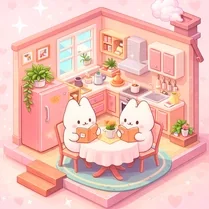
Common Core State Standards
Every game supports specific Common Core standards. Browse the full standards library.
Practice by Skill
Games by Grade
What is My Sticker Room
Step into a blank canvas and make it your own with countless stickers at your fingertips. My Sticker Room turns simple decoration into a delightful creative ritual.
How to Play
Select a base room template, then browse the sticker collection to find items you like. Drag chosen stickers onto the scene, rotate and resize them as needed, and layer decorations until your space feels complete.
Tips for Playing
- Start with a background pattern that sets the mood, then build furniture around it.
- Use the rotation tool to angle stickers for more dynamic, natural-looking arrangements.
- Keep a consistent color palette in mind to make your room feel cohesive.
- Experiment with layering—placing small stickers in front of larger ones adds depth.
- Don't be afraid to delete and restart a zone; sometimes a clean slate sparks the best ideas.
Frequently Asked Questions
Is My Sticker Room available on mobile devices?
Yes, it's designed to work in browsers on both smartphones and tablets, with touch controls for easy dragging and resizing.
Do I need to pay for stickers or features?
No, the entire sticker library and all decorating tools are available to use without any cost.
Can I save my room designs?
Your progress is saved automatically in your browser, so you can close the game and return later to keep decorating.
Are there any preset room templates?
Yes, you can pick from a few starting layouts, though you're also free to start from an empty room.
What kind of stickers can I find?
The collection spans furniture, plants, wall art, pets, and many themed decorative elements, so there's plenty of variety.
Is there a way to share my finished room with friends?
While there's no built-in sharing button, you can take a screenshot of your creation and share it however you like.
Related Dress Up Style Games

 House Design
 Toca Dream House
 Room Decor World
 Cupcake Maker - Game For Kids
 Nubik: Create Your Place
 Room Design: Dream Interior
 Whimsy Room
 Your dream room
 Melon Playground
 Pencil Jam
 Cross Stitching: Minecraft
 Lego constructor
 Sandbox
 Airplane: Craft and Fly
 3D Labubu Sandbox
 Abilities sandbox
 SCP sandbox online
 The best Mine coloring book