My Singing FNaF! Freddy Animatronics Obby +1 3D
My Singing FNaF! Freddy Animatronics Obby +1 3D turns the familiar horror icons into cheerful performers on a vibrant, blocky playground. You take control of Freddy and his pals as they navigate a series of floating platforms, spinning bars, and tricky gaps, all while belting out catchy melodies that match your progress. It's a lighthearted take on the usual obstacle-course formula, swapping scares for smiles and rhythmic fun. Each level introduces new challenges that test your timing and agility, and the better you perform, the more characters you can bring into the act. The 3D visuals are bright and playful, and the constant singing keeps the energy high. Whether you're a fan of platformers or just love the idea of musical robots, this game offers a fresh twist on both.
 WaffleMath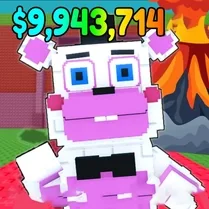
Common Core State Standards
Every game supports specific Common Core standards. Browse the full standards library.
Practice by Skill
Games by Grade
What is My Singing FNaF! Freddy Animatronics Obby +1 3D
Join Freddy and his musical crew as they leap through a colorful 3D obstacle course, turning every jump into a note. It's a bouncy, singsong adventure where the only thing scarier than the hazards is missing a beat.
How to Play
Use the arrow keys or WASD to move, and press the spacebar to jump across platforms and dodge obstacles. Reach the end of each course to unlock new singing characters.
Tips for Playing
- Time your jumps to land on moving platforms—watch their rhythm before you leap.
- Don't rush; some obstacles spin faster than they seem, so observe first.
- Collect any floating notes or stars to boost your score and unlock extras.
- Use short hops for narrow gaps and long jumps for wide ones—master the difference.
- If you fall, don't panic—respawn quickly and learn from your mistake.
Frequently Asked Questions
How do I unlock new animatronic characters?
You unlock new characters by completing each level's obstacle course. The more levels you finish, the more singers join your party.
Can I play this game on mobile devices?
Yes, the game is designed to work on both desktop and touch-screen devices. On mobile, just tap the on-screen controls to move and jump.
Is there a way to mute the singing?
You can find a mute button in the game's settings menu to turn off the music and vocals if you prefer a quieter experience.
What happens if I get stuck on a level?
You can restart the level from the beginning. Practice makes perfect, and you'll soon spot the pattern needed to pass.
Are there any special power-ups?
Some levels include helpful items like springs or speed boosts that give you an edge. Look for glowing icons and use them wisely.
Why is it called '+1 3D'?
The '+1' suggests an extra player or an additional character, while '3D' highlights the three-dimensional environment you explore.
Related Obby Parkour Games
 My Singing Labubu! Obby Magnate +1 3D Simulator
 My Singing Squid! Obby Squid Game +1 3D Simulator
 Obby: The King of the Dance Floor!
 Five Nights at Freddy's
 Geometry Dash
 Five Nights at Freddy's 2
 Fun Obby
 Five Nights at Freddy's 5
 Italian Brainrot Obby Parkour
 Geometry Dash 2.2
 Five Nights at Freddys's 2
 FNaF Shooter
 2000 Stairs to VIP Obby
 Geometry Dash 2.2: Arrow
 Five Nights at Candy's Remastered
 +1 to Neck Length per Second: Obby!
 Obby: Arena of Power
 Geometry Dash 2D