Meger Geometry dash
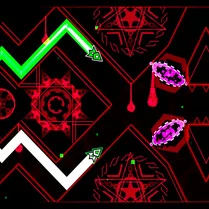
Meger Geometry Dash drops you into a pulsing world where every move is tied to the beat. This arcade platformer challenges your reflexes as you pilot a block through corridors packed with saw blades, pillars, and gravity flips. The visual style is clean and geometric, with neon edges that make each hazard pop against the background. Whether you're weaving through narrow gaps or soaring over long pits, the game keeps you locked into a flow state that's hard to pull away from. Each level is a fresh test of timing and pattern recognition. There are no checkpoints mid-run, so one slip sends you back to the start, but the quick restart keeps the pace snappy. The soundtrack drives the action, and you'll find yourself syncing your taps to the music almost instinctively. It's a compact, focused challenge that rewards practice and precision, making it a solid pick for quick sessions or longer attempts to conquer every stage.
 WaffleMath
Common Core State Standards
Every game supports specific Common Core standards. Browse the full standards library.
Practice by Skill
Games by Grade
What is Meger Geometry dash
Meger Geometry Dash is a rhythm-based arcade game that blends precise platforming with a driving soundtrack. Guide your square through a series of deadly geometric layouts, where every jump and turn must be timed to perfection.
How to Play
Tap or click to make your square jump, and hold to keep it in the air longer. Avoid spikes and other hazards by timing your jumps to the music and the visual cues on screen.
Tips for Playing
- Listen to the beat; jumps often line up with the rhythm, so use the music as a guide.
- Memorize tricky sections by repeating them until the pattern becomes automatic.
- Practice short hops versus long jumps—knowing the difference helps in tight spots.
- Stay patient after a fail; each restart is a chance to refine your timing.
- Watch the obstacle patterns ahead, not just your square, to react more quickly.
Frequently Asked Questions
How do I control the square in Meger Geometry Dash?
You simply tap or click to make the square jump. Hold the input for a higher jump, and release to drop back down.
What happens when I hit an obstacle?
Hitting an obstacle ends your run and sends you back to the start of the level. There are no checkpoints, so you'll need to complete the whole level in one try.
Is there a way to practice specific sections?
The game doesn't offer a practice mode, but you'll naturally learn the layout by repeating the level. Focus on one tricky area at a time during your attempts.
Does the game have different levels?
Yes, Meger Geometry Dash includes multiple levels with increasing difficulty. Each level introduces new obstacles and rhythms to master.
Can I play this game with a keyboard?
Absolutely. The game supports both mouse clicks and keyboard taps, so you can use whichever feels more comfortable for rapid input.
Why does the music seem important?
The levels are designed around the soundtrack, so the music helps you anticipate jumps and navigate sections. Paying attention to the beat can improve your timing.
Related Runner Games
 Geometry Dash: Cube 2.2
 Geometry Dash: Black Rocket
 Black Geometry Wave: Super Challenge
 Geometry Dash: Super Editor
 Geometry Dash: Dart 2.2 Challenge!
 Geometry Dash: Black Wave
 Geometry Wave: Сhallenge
 Geometry Dash: Impossible Demon
 Geometry Dash: Fun Wave
 Call Geometry Dash!
 Geometry Dash: Hardcore 2.2!
 Geo Dash Mine
 Geometry Dash: Glitch Wave
 Geometry Dash: Black Spider
 Geometry Dash: Secret Mode
 Geometry Dash: Fight with Brainrot!
 Geometry Dash: Make your level with a wave
 Geometry Dash: Mega Wave