Make Drone by Your Own
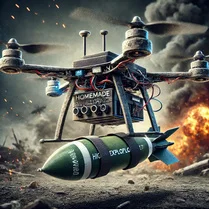
Make Drone by Your Own puts you in the shoes of a drone builder. You start with a bare frame and choose everything from the motor size to the flight controller, balancing weight and power to create a machine that can actually lift off. It's not just about sticking parts together, though. Each component affects how your drone handles in the air, so you'll need to think like an engineer to get a stable hover. Once your creation is ready, you can run it through a set of practical flight challenges. These missions push your drone to the limit, testing its speed, agility, and endurance. If something feels off, you can go back to the workshop, swap out a propeller or a battery, and try again. The game rewards experimentation and careful tuning, making every successful flight feel earned. It's a satisfying loop for anyone who likes building, tinkering, and problem-solving.
 WaffleMath
Common Core State Standards
Every game supports specific Common Core standards. Browse the full standards library.
Practice by Skill
Games by Grade
What is Make Drone by Your Own
This is a building game where you put together a quadcopter from scratch and then see how well it flies. Your choices in the workshop directly affect how it performs in the air.
How to Play
Pick a frame and choose your motors, propellers, and other parts to assemble a drone. Then, take it to the test area and complete flight challenges to see how your design holds up.
Tips for Playing
- Start with a simple frame and smaller motors to learn the basic flight behavior before you try for speed.
- Pay attention to the weight of your battery—a heavier pack gives more flight time but makes the drone harder to control.
- Match your propeller size to your motor specs for the best balance of thrust and efficiency.
- If your drone wobbles, try adjusting the weight distribution or check if your frame is too heavy for the motors.
- Use the flight challenges as a diagnostic tool: a failed mission usually points to a specific weakness you can fix.
- Keep a few different builds saved so you can switch between a stable cruiser and a fast racer depending on the mission.
Frequently Asked Questions
Do I need to know real drone mechanics to play?
No, the game introduces the basics gradually. You can learn by trial and error, and the flight tests give clear feedback on what to change.
Can I fly freely or only through missions?
The main focus is on the structured flight challenges, but you can also use the test area to just fly around and see how your drone behaves.
What happens if my drone crashes during a mission?
A crash ends that attempt, but you can rebuild or tweak your drone and try again. There is no permanent penalty for failure.
Are there pre-made drones I can use?
You can choose from a few starting templates, but the core of the game is building your own from the available parts.
Is there a limit to how many parts I can put on a drone?
The main limit is weight and space on the frame. Each part adds mass, and heavier drones need more thrust to get off the ground.
Does the game have different difficulty levels?
The challenges themselves provide a natural difficulty curve. Later missions demand faster or more agile drones, so you will need to upgrade your build.