Learning to Count: Sticks
Learning to Count: Sticks reimagines early numeracy as a hands-on puzzle experience. Instead of rote memorization, you engage directly with colored sticks, moving them into neat groups that must equal the number displayed on screen. The visual, interactive format makes abstract concepts feel concrete, helping players build a sturdy foundation in counting without the intimidation of traditional drills. The challenge grows thoughtfully: early rounds offer simple groupings, while later stages introduce larger quantities and more subtle combinations, gently stretching your mental math. Each solved set delivers a small sense of accomplishment, turning practice into play. Whether you're a young learner or just revisiting basics, the clean visuals and straightforward mechanics keep the focus on understanding quantities, patterns, and confidence. The result is a quiet, satisfying tool that makes numbers feel friendly and approachable.
 WaffleMath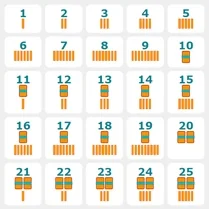
Common Core State Standards
Every game supports specific Common Core standards. Browse the full standards library.
Practice by Skill
Games by Grade
What is Learning to Count: Sticks
Learning to Count: Sticks is a gentle, visual way to practice numbers. Arrange colorful rods into matching groups and watch your counting skills solidify.
How to Play
Drag each stick from the supply area and drop it onto the workspace. Arrange sticks into groups that match the number shown, then confirm to move on.
Tips for Playing
- Start by grouping sticks in twos or threes for easier counting.
- Double-check your total before confirming, especially with larger numbers.
- Use the visual arrangement to see patterns, like making rows of five.
- Take your time—speed isn't scored, accuracy matters most.
- Replay earlier levels to build quick recognition of number sets.
Frequently Asked Questions
What age group is Learning to Count: Sticks best suited for?
It's designed for early elementary learners, typically ages 4 to 8, but anyone brushing up on basic counting can enjoy it.
Do I need a mouse or can I play on a touchscreen?
You can use a mouse on desktop or your finger on a touchscreen device, as the drag-and-drop control works with both.
Is there a timer or score that affects the game?
No, there's no timer or scoring system. The focus is on practicing counting at your own pace without pressure.
What happens if I place the wrong number of sticks?
The game will let you know the group doesn't match, and you can simply adjust the sticks until the count is correct.
Can I play this game multiple times to improve?
Yes, you can replay any level as often as you like, which helps reinforce counting patterns and build confidence.
Related Kids Educational Games

 Learning to Count!
 Learning for Kids - Learn Numbers & Colors
 Learning Numbers 0 to 10
 Coloring by numbers for kids
 Cooking by numbers
 Miga World Hospital
 Find Animals 3D
 New Call to Italian Animals
 Puzzles. Peppa Pig!
 Cake Stack: Alphabet Lore
 Cartoons Kids! Songs! Ladybug, Masha, Fairy Tales!
 Save the alphabet
 Educational Game for Kids: Learn Vegetables
 Alphabet Adventure: Coloring Game for Kids
 Addition and Subtraction
 Alphabet for children from A to Z
 Animals for kids
 Binary trainer