Learning to Count!
Learning to Count! turns number basics into a lively puzzle experience. Instead of dry drills, you'll explore bright scenes filled with everyday objects—apples, balloons, rubber ducks—and figure out exactly how many are in each cluster. The game gently guides you through early math concepts, building confidence with every correct match. As you progress, rounds become more challenging, introducing quicker pacing and larger counts to keep your brain engaged. The interface uses bold visuals and clear audio cues, making it easy for young players to follow along without frustration. Each level ends with positive feedback that highlights your progress, turning mistakes into learning moments. Whether you're a parent looking for a constructive screen-time option or a teacher seeking a classroom warm-up, Learning to Count! offers a straightforward, enjoyable way to reinforce counting skills. Its playful presentation ensures that practice feels like play, not homework.
 WaffleMath
Common Core State Standards
Every game supports specific Common Core standards. Browse the full standards library.
Practice by Skill
Games by Grade
What is Learning to Count!
Learning to Count! invites early learners to practice numbers through friendly object-matching puzzles. It’s a simple, engaging way to build confidence with counting.
How to Play
Look at the group of objects displayed on screen, count them carefully, then click or tap the number that matches the total. Each correct answer earns progress toward the next level.
Tips for Playing
- Count out loud as you point to each object to avoid missing any.
- Start with smaller groups first to warm up before tackling bigger numbers.
- If a round feels rushed, pause and take a breath—accuracy matters more than speed.
- Try grouping objects in your mind (like two pairs) to speed up counting.
- Replay earlier levels to reinforce your skills before advancing.
Frequently Asked Questions
Is Learning to Count! suitable for all age groups?
It's designed mainly for preschool and early elementary children, but anyone just starting to learn numbers can enjoy it.
Do I need to download anything to play?
No, the game runs directly in your web browser, so you can start playing right away without installing software.
What happens if I pick the wrong number?
The game gives gentle feedback so you can try again, helping you learn from mistakes without pressure.
Are there different difficulty levels?
Yes, the game gradually increases the number of objects and the speed of challenges as you improve.
Can I play this on a mobile device?
Absolutely, the touch-friendly controls work well on tablets and phones as well as computers.
Does the game track my progress?
Progress is tracked within your session so you can see your achievements, but it may not save between visits.
Related Kids Educational Games
 Learning for Kids - Learn Numbers & Colors
 New Call to Italian Animals
 Animals for kids
 English for kids
 Learn the Fruits. A giant watermelon
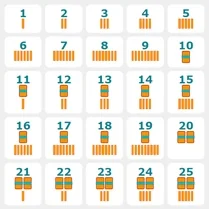 Learning to Count: Sticks
 Learning Numbers 0 to 10
 New Call for Kids Italian Animals
 All Italian Animals Call
 Coloring by numbers for kids
 Cooking by numbers
 Miga World Hospital
 Find Animals 3D
 Puzzles. Peppa Pig!
 Cake Stack: Alphabet Lore
 Italian Animals Check
 Link Number
 Find the pair of numbers!