Geometry Jump Classic
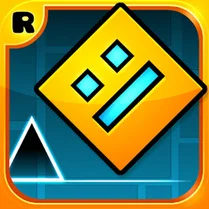
Geometry Jump Classic drops you into a minimalist world where a single cube is all that stands between you and a grid of relentless hazards. Each stage is a rhythmic puzzle of sharp edges, floating blocks, and rotating bars that demand split-second reactions. The visual style is clean and bold, letting the action speak for itself as you bounce from one platform to the next, always one wrong move from starting over. What keeps you coming back is the steady climb in difficulty. Early levels teach you the basics of timing, while later ones throw in tricky patterns that test your muscle memory and patience. There’s no story to bog you down—just pure, focused gameplay that rewards precision and persistence. Whether you have a few minutes or an hour, it’s the kind of game that’s easy to pick up but hard to put down.
 WaffleMath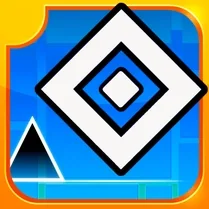
Common Core State Standards
Every game supports specific Common Core standards. Browse the full standards library.
Practice by Skill
Games by Grade
What is Geometry Jump Classic
Step into a geometric arena where every jump counts. Can you keep your cube from crashing?
How to Play
Tap or press the spacebar to make the cube jump, and hold to perform higher jumps. Time your presses to clear obstacles and land safely on platforms as you advance through the level.
Tips for Playing
- Start with short taps to get a feel for the jump height before attempting longer leaps.
- Watch the pattern of moving platforms—they often have a predictable rhythm you can sync with.
- Stay near the front edge of a platform to give yourself more reaction time for the next jump.
- If you keep failing on a section, take a breath and focus on the timing rather than rushing.
- Practice on earlier levels to build muscle memory for the trickier obstacles later on.
Frequently Asked Questions
What is the goal of Geometry Jump Classic?
Your goal is to navigate a cube through a series of obstacle-filled levels without crashing. Each level is completed when you reach the end zone.
How do I control the cube?
You control the cube with a single action: jumping. Tap the screen or press the spacebar to jump, and hold it to make the cube jump higher.
Can I play this game on my phone?
Yes, the game is designed to work on both desktop and mobile browsers. On a phone, you just tap the screen to jump.
What happens if I hit an obstacle?
Hitting an obstacle causes you to crash and restart the level from the beginning. You can try as many times as you like.
Are there different difficulty levels?
The game features a series of levels that gradually increase in difficulty. The early stages are simpler, while later ones present more complex patterns and faster rhythms.
Does the game have any music?
Yes, the levels are set to rhythmic music, and timing your jumps to the beat can help you overcome obstacles more smoothly. You can adjust the volume in the settings.
Related Runner Games
 Geometry Dash: Ball 2.2
 Geometric Dash: Plate 2.2
 Blox Obby
 Geometrycal Dash 2 - Platformer
 Geometry Dash: Crazy Wave
 Geometry Dash Forms
 Geometry Dash with SchoolBoy
 Geometry MOD 4: Slime Dash
 The Hardest Geometry Dash 3D
 Help Sprunki 3D
 Obby: King of Bones
 Sprunki SPRUNKR
 Super Fun Obby
 Geometry Dash
 Fun Obby
 Geometry Dash 2.2
 Geometry Dash 2.2: Arrow
 Geometry Dash 2D