FPS Commando: 3D Shooter
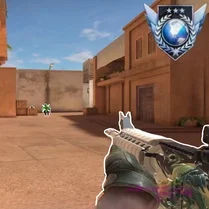
FPS Commando: 3D Shooter throws you straight into the heart of modern warfare. As a highly trained operative, you'll move through a series of meticulously crafted combat zones, from crumbling city blocks to sun-scorched desert outposts. The game’s core is about smart movement and precise aiming—every corner you turn could hide an enemy, and every shot counts. With a solid selection of firearms, from assault rifles to sniper loadouts, you'll adapt your strategy to the situation at hand. The experience is built around fast, fluid action that rewards both quick reflexes and careful planning. You're not just running and gunning; you need to read the battlefield, use cover intelligently, and keep an eye on your ammunition. Whether you prefer to charge in aggressively or pick off targets from a distance, the game offers the tools to play your way. Each mission pushes you to improve, and the sense of accomplishment after clearing a tough sector is genuinely satisfying. It's a straightforward, no-frills shooter that focuses on what makes the genre great: intense, visceral combat.
 WaffleMath
Common Core State Standards
Every game supports specific Common Core standards. Browse the full standards library.
Practice by Skill
Games by Grade
What is FPS Commando: 3D Shooter
FPS Commando: 3D Shooter is a browser-based first-person shooter that puts you in the role of a special forces operative. Your objective is simple: move through enemy territory and neutralize all hostiles.
How to Play
Use the WASD keys to move, the mouse to aim and shoot, and the spacebar to jump. Eliminate all enemy soldiers in each level to progress, and watch your health and ammo counts.
Tips for Playing
- Always keep moving; standing still makes you an easy target.
- Use cover wisely by peeking around corners to spot enemies before they see you.
- Aim for headshots to take down enemies quickly and conserve ammo.
- Keep an eye on your ammo counter and reload when safe, not in the middle of a firefight.
- Listen for audio cues like footsteps to anticipate enemy positions.
Frequently Asked Questions
How do I control my character in FPS Commando?
You use the WASD keys for movement, your mouse to look and shoot, and the spacebar to jump. Press R to reload your weapon.
What types of weapons are available?
The game features a variety of weapons including assault rifles, shotguns, and sniper rifles, each with unique handling and damage. You can pick up different weapons as you progress.
Is there a way to restore health?
Yes, health packs are scattered throughout the levels. Look for glowing cross icons and walk over them to regain health.
Can I play this game on a mobile device?
FPS Commando: 3D Shooter is designed primarily for desktop browsers with keyboard and mouse controls. While you might be able to access it on a mobile browser, the experience is optimized for PC.
How many levels are in the game?
The game includes a series of missions across different environments. Each level increases in difficulty, with more enemies and tighter spaces.
Does the game save my progress?
Progress is typically saved locally in your browser. Make sure to clear your browser cache only if you want to lose progress.
Related Shooting Games
 Command Strike FPS
 Valorant Shooter
 CS 1
CS 1 CS Lite
 Call of Secret Duty WWII
 CS 1.7
 CS Remake: Modern FPS
 FPS: Modern Assault
 Global Standoff : Counter Strike
 Counter-Terror: Global Strike
 Overstrike 3D
 CS: Operation in the desert
 Opration Flashpoint: Red - Blue war
 Standoff 2: The Polygon
 CS: Shooter
 Special Forces Training Shooter
 STALKER - Assault on Pripyat
 Raven 3D - Front Line