Craft the Plane! Factory Simulator
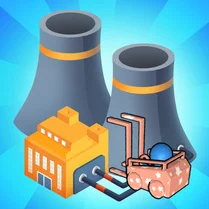
Craft the Plane! Factory Simulator drops you onto a busy assembly line where every conveyor belt and workstation matters. Your goal is to transform scattered components into complete, flight-ready aircraft. It's a fast-paced juggling act: feed the right materials into the right machines, keep the line moving, and avoid bottlenecks that stall your output. The arcade-style controls keep things accessible, but the escalating pace and new plane designs will test your ability to think on your feet. As production ramps up, you'll earn resources to upgrade your machinery and unlock more complex aircraft models. Each new blueprint brings fresh challenges, from balancing multiple production stages to managing limited space on the shop floor. Success comes down to steady hands, quick decisions, and a knack for spotting small problems before they snowball into costly delays. With its satisfying loop of building, optimizing, and watching your planes take off, this simulator offers a rewarding slice of industrial strategy for players who enjoy a hands-on approach to factory management.
 WaffleMath
Common Core State Standards
Every game supports specific Common Core standards. Browse the full standards library.
Practice by Skill
Games by Grade
What is Craft the Plane! Factory Simulator
Run your own aircraft assembly plant and keep the production lines humming. Build, upgrade, and optimize your way to aviation glory.
How to Play
Use your mouse or touch controls to drag parts onto the assembly line, operate machinery, and place finished planes on the launch pad. Keep an eye on the resource meter and upgrade stations to maintain smooth production.
Tips for Playing
- Prioritize upgrading your conveyor speed early to move parts faster.
- Watch the incoming part order and adjust your machine settings to avoid mix-ups.
- Don't let finished planes sit idle—send them off immediately to free up space.
- Save your resources for critical upgrades rather than cosmetic changes.
- Pause occasionally to survey the whole floor and spot potential jams.
Frequently Asked Questions
How do I unlock new airplane designs?
New blueprints become available as you progress through levels and earn enough production points. Check the upgrade menu to see what's next.
What happens if I make a mistake on the assembly line?
Mistakes can cause parts to be wasted or planes to be delayed. In some levels, you may lose a life or fail the mission, so try to correct errors quickly.
Can I play Craft the Plane! Factory Simulator on mobile devices?
Yes, the game is optimized for touch controls, so you can play it on smartphones and tablets as well as desktop browsers.
Are there different difficulty levels?
The game gradually increases in difficulty as you advance, but there are no separate difficulty settings. You can replay earlier levels to practice.
What is the best strategy for earning more resources?
Focus on completing orders quickly and without errors. Efficiently managing your production line will yield higher scores and resource rewards.
Does the game have an ending or is it endless?
The game features a series of levels with increasing complexity, and there is a final level that completes the main campaign. After that, you can replay for higher scores.