Clicky Keyboard Tower
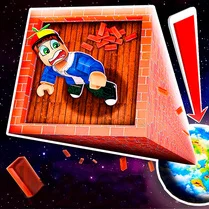
Clicky Keyboard Tower blends rapid typing with tower-building strategy. As blocks fall from the sky, each one carries a letter. Strike the right keys to lock those blocks into place and raise your structure skyward. The catch? A timer ticks down relentlessly, and every correct keystroke buys you a little more time. Miss too many, and your tower crumbles. The challenge escalates as you climb. Blocks fall faster, letters become less predictable, and the margin for error shrinks. This game isn't just about speed—it rewards accuracy and calm under pressure. With its clean visuals and straightforward premise, it's a perfect pick for quick sessions that test both your reflexes and your keyboard skills.
 WaffleMath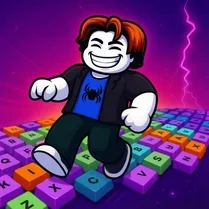
Common Core State Standards
Every game supports specific Common Core standards. Browse the full standards library.
Practice by Skill
Games by Grade
What is Clicky Keyboard Tower
Ready to put your typing fingers to the test? Clicky Keyboard Tower turns every keystroke into a building block, and the sky's the limit—if you can keep up.
How to Play
Type the letter shown on each falling block before it hits the ground. Each correct keystroke places the block and adds time to the clock; keep going to build higher.
Tips for Playing
- Focus on accuracy over speed—one correct keystroke is better than several missed ones.
- Keep your eyes on the falling blocks, not on your hands, to react faster.
- Use the pause moment between blocks to plan your next keystroke.
- If a block gets too close, prioritize typing its letter immediately, even if it's not the one you expected.
- Practice your keyboard layout to build muscle memory for tricky letters.
Frequently Asked Questions
What happens if I type the wrong letter?
Typing the wrong letter doesn't add a block, and you lose a bit of time. Miss too many and the round ends.
Is there a way to increase the time limit?
Yes, each correct keystroke adds a small amount of time to the clock, so maintaining a steady rhythm is key.
Can I play Clicky Keyboard Tower on a mobile device?
The game is designed for desktop keyboards, so it's best played on a computer or laptop for the full experience.
Are there different difficulty levels?
The difficulty ramps up automatically as your tower grows, with faster falling blocks and more varied letters.
How is the score calculated?
Your score is based on both the height of your tower and the number of correct keystrokes you make without errors.
What's the best strategy for getting a high score?
Maintain a steady, accurate typing pace rather than rushing. A few extra seconds from consistent hits will help you survive longer and climb higher.