Robbie: Tower Simulator
Robbie: Tower Simulator puts you in control of a vertical construction project that demands both quick thinking and steady resource management. Instead of simply stacking blocks, you must decide which upgrades matter most, balance your budget, and keep your tower stable as it climbs toward the sky. The arcade-style pacing keeps every round brisk, letting you jump in and make meaningful decisions without getting bogged down in complex menus. As the tower grows, you'll unlock new facilities and improvements that alter the way you play. Sometimes you'll focus on boosting efficiency, while other runs call for aggressive expansion or careful structural reinforcement. The neat part is that no two attempts feel identical, and a single poor choice can send everything tumbling down. With its bright visuals and straightforward controls, this sim is easy to pick up but tricky to fully master.
 WaffleMath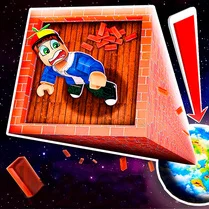
Common Core State Standards
Every game supports specific Common Core standards. Browse the full standards library.
Practice by Skill
Games by Grade
What is Robbie: Tower Simulator
Build upward, manage your resources, and keep Robbie's tower from crumbling in this fast-paced arcade simulation. Every floor you add brings new challenges and fresh opportunities.
How to Play
Tap or click to construct new floors and then assign workers or resources to keep operations running smoothly. Keep an eye on stability and funds, and react quickly to any warnings before the whole structure gives way.
Tips for Playing
- Always save a small reserve of cash for emergency repairs instead of spending everything on shiny upgrades.
- Prioritize structural upgrades early; a sturdy base makes later expansion far less stressful.
- Watch the stability meter after each addition and pause upgrading when it gets too risky.
- Hire specialized staff only when their cost pays off — fancy hires can drain your budget fast.
- Plan your floor layout with purpose: group similar functions together to improve workflow.
Frequently Asked Questions
What happens if my tower collapses?
The tower resets to a previous checkpoint, and you'll lose any floors built after that point. It's a setback, but you can rebuild quickly once you know what went wrong.
Can I play this game on my phone?
Yes, the controls are designed to work on touch screens as well as with a mouse, so you can build on a phone or tablet without issues.
Is there a way to speed up construction?
Upgrading your construction speed skill helps, and assigning extra workers to building tasks can also cut down wait times.
Are there different tower designs available?
You'll unlock cosmetic styles and layout options as you progress, allowing you to give your tower a unique look without affecting gameplay stats.
How do I earn more in-game currency?
Your tower generates income over time based on the facilities you've built. Adding more tenants or shops increases your overall income rate.
Does the game have an ending?
There's no final boss; the goal is to keep growing your tower as high as possible while managing an ever-increasing set of challenges and variables.
Related Simulation Tycoon Games

 Pocket Tower
 My Perfect Hotel
 Football Manager
 Your Aquapark 2025
 Mansion Tycoon
 My Waterpark
 Factory Builder
 Motorways
 Farm Town
 Toca Boca build a 5-star hotel
 Hot hotel
 Mine: Village Simulator
 Dream Beach Tycoon
 Perfect hotel
 Ball Factory Tycoon 3D
 Robbie Airport Tycoon 2: Become a Tycoon
 Tycoon: Dream House
 Building Tycoon Hotel