Build Your Dream Plane
This arcade flight title puts you in the hangar with a full kit of fuselages, wings, and engines. Rather than following a fixed blueprint, you decide how your aircraft comes together, balancing speed, agility, and stability with every component you choose. Once your creation is ready, it is time to take off and see if your engineering instincts hold up in the air. Every level throws new obstacles at you, from tight gaps and moving barriers to gusty weather drafts that challenge your control. Success depends on how well your design matches the task ahead—sometimes a nimble frame wins, other times raw power is key. Even when you crash, the feedback helps you tweak your setup and try again, turning each failure into a step toward a better plane.
 WaffleMath
Common Core State Standards
Every game supports specific Common Core standards. Browse the full standards library.
Practice by Skill
Games by Grade
What is Build Your Dream Plane
Get ready to design, build, and fly your own aircraft in this arcade challenge. Your choices in the hangar directly shape how you tackle each course in the sky.
How to Play
Use the on-screen or keyboard controls to steer your plane through each level. Before takeoff, swap parts in the build menu to change how your aircraft handles, then hit the throttle and aim for the goal.
Tips for Playing
- Take a light plane if a level is full of tight gaps and quick turns.
- Pay attention to the wind indicators—they can push you off course.
- Upgrade your engine early to make acceleration less sluggish.
- Try different wing shapes if your craft feels too twitchy.
- Crash logs show which part failed, so use them to guide your next build.
Frequently Asked Questions
Can I change my plane between levels?
Yes, you can return to the hangar before each level to swap out parts and adjust your design.
What happens if my plane crashes?
You will restart the level with the same build, but now you know what went wrong and can tweak your setup for another attempt.
Are there different types of parts to choose from?
Definitely—you can pick among several fuselages, wings, engines, and stabilizers, each with different effects on speed, agility, and durability.
Is it possible to complete every level with one plane build?
Technically yes, but most levels encourage specific setups, so you might need to switch parts to get an easier run.
Does the game have touch controls?
It supports both mouse and keyboard, and touchscreen controls are also available on compatible devices.
Related Simulation Tycoon Games

 Airplane: Craft and Fly
 Shooting Master! Craft the Gun!
 Obby: Build a Plane 100% Original
 Gun Builder
 Robot Wars Online
 Creator of animatronics
 Scrap Machine
 Plane Factory
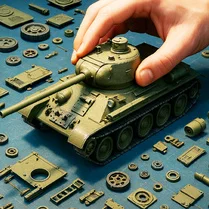 Build A Battle Tank
 Craft Flying Car
 Obby. Build your own island.
 Robot Battle: War for the Galaxy
 Pimp Toku Life!
 Automechanic: Build Car 3D!
 Avatar World: Your City!
 Build and Fly Obby
 Build Lego Cars
 Build Noob's Car 3D!