Build and Fly Obby
Build and Fly Obby drops you into a colorful world where every level is a fresh test of your creativity and reflexes. Instead of a straightforward run, you're handed the tools to shape the course itself, placing blocks to bridge gaps, climb walls, or create launch ramps. The twist? The sky is your highway—once you're airborne, you must glide with precision, dodging hazards and aiming for the next foothold. It's a brainy platformer that keeps you thinking on your feet and in the air. What makes this experience shine is the balance it strikes between thoughtful design and split-second action. Each stage challenges you to spot what's missing and then bridge that gap with your own builds, while the flying segments demand a steady hand and quick judgment. Whether you're stacking a tower to reach a high ledge or swooping through a series of rings, every success feels earned. With a vibrant look and snappy controls, it's an easy pick-up for a quick session but rewards those who chase perfection.
 WaffleMath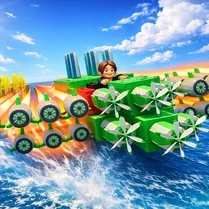
Common Core State Standards
Every game supports specific Common Core standards. Browse the full standards library.
Practice by Skill
Games by Grade
What is Build and Fly Obby
A clever arcade platformer that mixes block-by-block construction with fluid flying mechanics, offering a fresh spin on the obstacle course genre.
How to Play
Use your mouse or touch to place blocks and build structures that help you advance, then switch to flying mode to glide across gaps. Reach the level's end to unlock the next course and keep testing your skills.
Tips for Playing
- Scan the environment first to spot where a well-placed block saves you the most effort.
- Build upward in small steps instead of one tall tower to keep your balance and control.
- Save your flying stamina for sections that truly need it rather than using it on every jump.
- When building a bridge, leave a small notch to drop through, then fly out underneath—it's a handy shortcut.
- Watch how flying momentum carries you, and adjust your block placement to line up with that drift.
Frequently Asked Questions
Can I undo a block if I place it in the wrong spot?
Yes, there is an undo option or you can remove a placed block, depending on the level's rules. Just look for a button to delete or reset your builds.
Is there a limit to how many blocks I can place?
Some levels have a block limit to encourage smart planning, while others allow unlimited placement. Check the on-screen counter for the current cap.
How do I control the flying mechanic?
You typically tap or hold the screen (or click) to activate flight and steer with directional input. The controls are simple to learn but mastering the glide takes practice.
What happens if I fall off the course?
You'll respawn at your last checkpoint with your progress saved, so don't worry about losing all your work. Just retry the section you were on.
Are there different types of obstacles in the game?
Yes, you'll encounter moving platforms, spiked traps, and airborne rings, among other hazards. Each type requires a different combination of building and flying to overcome.
Can I play this game on a mobile device?
Absolutely, the game is designed with touch controls in mind, so you can build and fly just as easily on a phone or tablet as on a computer.
Related Obby Parkour Games

 Noob creates an obby Online
 Build An Obby
 Build Obby World
 Robby wings obby
 Fun Obby
 Obby online
 Obby: Supereasy Parkour
 Only Up Obby
 Obby: Build a Plane 100% Original
 Escape from 99 Nights in the Forest: Obby
 Obby: Troll Slap Tower Online
 Obby Steal a Brainrot Playground
 Geometry Dash: Flight Machines
 Grow Crystals! Obby Farm Tycoon Magnate +1 RNG
 Obby Parkour: Tower
 Obby: Portal
 Obby tycoon: Build the city of dreams
 Obby: Fly the Farthest in an Airplane