Build An Obby
Build An Obby turns the classic obstacle course into a canvas for your imagination. Instead of just running pre-made levels, you get to lay down every platform, spring, and hazard, then step back to see if your creation is actually beatable. The real joy is in the loop: you build, you test, you tweak, and you watch your ideas come to life—or hilariously fail. It's not just about your own courses, though. Once you've crafted something worth sharing, you can hand it over to other players to tackle. Their attempts—whether they're triumphs or faceplants—make the game feel alive. With simple controls and endless layout possibilities, it's a playground for both meticulous designers and chaos-loving players.
 WaffleMath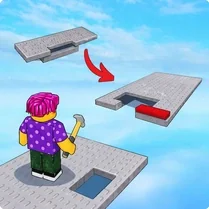
Common Core State Standards
Every game supports specific Common Core standards. Browse the full standards library.
Practice by Skill
Games by Grade
What is Build An Obby
Design, build, and sprint through your own obstacle gauntlet. Whether you're a meticulous architect or a thrill-seeker, this arcade sandbox offers endless possibilities.
How to Play
Use your mouse to select and place platforms, traps, and moving blocks onto the course grid. Then switch to your character to test the level, using arrow keys or WASD to run and jump to the finish.
Tips for Playing
- Start with a straight path to gauge jump distances before adding complexity.
- Test each new segment immediately to spot impossible jumps early.
- Place moving blocks on a timer to create rhythm-based sections.
- Use thin platforms sparingly to avoid unfair difficulty spikes.
- Mirror successful course designs you've seen to learn new tricks.
Frequently Asked Questions
Can I play levels made by other people?
Yes, you can either share your courses online or browse and play creations made by other players, as long as the game has a community feature.
What do I control the character with?
You usually use the arrow keys or WASD for movement, and the spacebar to jump. Some levels might use different keys, but those are rare.
Is there a time limit for building?
No, you can take as long as you want when building a course. The only time pressure comes from the obstacles you place that move on timers.
Can I save my progress?
If you create an account, your courses and progress can be saved locally, but in most browser versions, saving comes from account features.
What happens if a player gets stuck on my course?
They can restart from a checkpoint or the beginning. It's up to you how forgiving your design is, and some players might give up if it's too hard.
Related Obby Parkour Games

 Noob creates an obby Online
 Build and Fly Obby
 Build Obby World
 Fun Obby
 Obby online
 Obby: Supereasy Parkour
 Only Up Obby
 Escape from 99 Nights in the Forest: Obby
 Obby: Troll Slap Tower Online
 Obby Steal a Brainrot Playground
 Grow Crystals! Obby Farm Tycoon Magnate +1 RNG
 Obby Parkour: Tower
 Obby: Portal
 Obby tycoon: Build the city of dreams
 Robbie: Easy Parkour Obby
 Obby: Training on the train
 Obby: The Treasure Hunter
 Obby: Tower to the Stars