Booba Calls: Chat, Video Call, Live Broadcast
Booba Calls flips the script on traditional arcade games by putting communication front and center. Instead of jumping over obstacles or collecting coins, you're dropped into a lively social space where the goal is to connect. Start a text conversation, initiate a video call, or launch a live broadcast for your buddies to join. The game's cartoonish visuals and simple point-and-click controls make it easy to jump in, but the real fun comes from the unpredictable interactions you can spark with friends. What sets this experience apart is its relaxed pace. There are no timers or high-score chases—just you, your friends, and a toolbox of communication options. Whether you want to catch up, plan a virtual hangout, or just goof around on camera, Booba Calls provides a low-stress environment to do it. It's perfect for players who enjoy casual social play and want a break from action-packed titles. The more you experiment with different features, the more you'll discover how creative you can get with your interactions.
 WaffleMath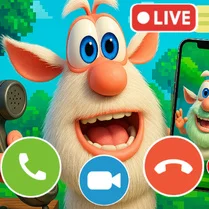
Common Core State Standards
Every game supports specific Common Core standards. Browse the full standards library.
Practice by Skill
Games by Grade
What is Booba Calls: Chat, Video Call, Live Broadcast
Booba Calls is a casual arcade game that turns chatting and broadcasting into a playful playground. Jump in and start connecting with friends through calls and live streams.
How to Play
Use your mouse or touch screen to select contacts, then choose between chat, video call, or live broadcast options. Follow the on-screen prompts to start a session and invite friends to join.
Tips for Playing
- Try all three communication modes to see which one your friends respond to best.
- Keep your live broadcasts short to hold viewers' attention longer.
- Use the chat feature to coordinate before jumping into a video call.
- Don't be afraid to be silly on camera—it makes the game more entertaining.
- Check for new friends in your contact list regularly to expand your social circle.
Frequently Asked Questions
Is Booba Calls a multiplayer game?
Yes, Booba Calls is designed for interacting with friends. You can invite them to chat, video call, or watch your live broadcast.
What do I need to play Booba Calls?
You just need a device with a web browser and an internet connection. The game uses simple controls, so no downloads are required.
Can I play Booba Calls alone?
Yes, you can explore the interface and initiate calls, but the full experience shines when you connect with others.
Does Booba Calls have any in-game purchases?
The game is free to play, and there are no mandatory purchases. Some optional extras may be available, but they aren't required to enjoy it.
How do I invite friends to a live broadcast?
Select the live broadcast option and use the share or invite button to send a link to your friends. They can click it to join your stream.
Is Booba Calls suitable for kids?
Yes, the game has a friendly, cartoonish style and no violent content, making it appropriate for younger players. Parental guidance is always a good idea for any online interaction.
Related Simulation Tycoon Games

 Chat with my Teacher
 Chat with Mom's Female Friend
 Pickme Girl Flirt Chat Simulator
 Ambulance Call: Chat Prank, Live Stream, Messaging
 Fake Messenger: Chatting!
 Chat with Barista
 Ballerino Cappuccino calling: Chat Prank Evolution
 Your Boss! Chat
 Your messenger. Chats at the Moon school
 Call Omega Tea: Fake Call & Chat Prank
 Br Br Patapim calls: Chat, Video call, Live stream
 Call the Police: Fake Call & Chat Prank
 Chat with Girl - Messenger Simulator
 Chat with my stepmom
 Chatting with the Maid
 Schoolboy: Chat and Messaging with Pickme Girls
 Ages of Conflict
 Solar Smash