Call the Police: Fake Call & Chat Prank
This is a digital prank kit that turns your browser into a prop for tricking friends. Instead of a traditional game with levels or scores, you get a set of tools to build a believable fake interaction with law enforcement. Pick a scenario, record your own lines or use the built-in ones, and then trigger a simulated incoming call or text message complete with authentic ringtones, vibration, and police-style interface elements. The payoff comes when you hand the phone to a friend just as the fake call or notification arrives, and you watch them react to the 'authority' on the other end. The magic is in the details. The simulation mimics real phone behavior closely, with a lock screen notification, a caller ID, and a full-screen interface that looks like a genuine call in progress. You can even play pre-recorded police radio chatter or your own voice to sell the bit. It is all about timing and presentation—set up the prank moments before handing over the device to maximize the surprise. Whether you want a quick scare or an elaborate story, the app gives you the pieces, and your imagination does the rest.
 WaffleMath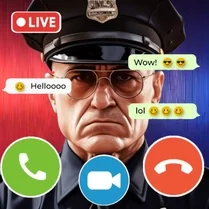
Common Core State Standards
Every game supports specific Common Core standards. Browse the full standards library.
Practice by Skill
Games by Grade
What is Call the Police: Fake Call & Chat Prank
Turn your phone screen into a prop for a memorable practical joke. Build a fake police call or chat, then watch your friend's face when the 'call' comes through.
How to Play
Choose a scenario or create your own, then record or select audio and text content. Tap the trigger button to simulate an incoming call or message, then hand your device to the target.
Tips for Playing
- Time the prank so the notification appears the moment the person takes the phone.
- Use your own recorded voice for a more personal and unexpected twist.
- Start with a short fake call to test reactions before trying a longer conversation.
- Pick a scenario that matches your friend's sense of humor to get the best reaction.
- If using chat, type a few realistic back-and-forth messages before showing the screen.
Frequently Asked Questions
Is this a real game with objectives or a tool?
It is more of a prank simulator than a traditional game. There are no points or levels; the goal is simply to create a believable fake police call or chat to fool someone.
Can I record my own voice for the call?
Yes, you can record custom audio messages and then play them back during the simulated call, which makes the prank much more convincing.
Does the fake call actually ring my phone?
The ringtone and vibration are simulated within the app's interface. It doesn't use your actual phone's calling system, but it looks and sounds just like a real incoming call.
Can I do a fake text chat instead of a call?
Absolutely. You can set up a fake conversation thread with police-related messages that appear to come from an official number, complete with a chat interface.
Is this suitable for kids?
The content is just a prank, but it involves law enforcement themes. It's best for older kids and teens who understand it's a joke and not a real emergency.
Will the person I prank be able to tell it's fake?
The simulation is designed to look very realistic at first glance. Most people will be fooled for a few seconds, which is exactly the point of the prank.
Related Arcade Games

 Ambulance Call: Chat Prank, Live Stream, Messaging
 Ballerino Cappuccino calling: Chat Prank Evolution
 Your Boss! Chat
 Call Omega Tea: Fake Call & Chat Prank
 Police Chase Simulator Online
 Chat with my Teacher
 Chat with Mom's Female Friend
 Pickme Girl Flirt Chat Simulator
 City Policeman
 Fake Messenger: Chatting!
 Chat with Barista
 Tralalelo Tralala Calls: Chat Prank, Video, Stream
 Mita from MiSide calls: Chat-Prank, Live Stream
 Masha Calls: Chat Prank, Video Call, Live Stream
 Your messenger. Chats at the Moon school
 Call SuperCat: Chat Prank, Video Call, Live
 Vladus Calls: Chat Prank, Messaging, Live Stream
 Lady Bug and Cat Noir Call: Chat Prank, Video Call