Airport Simulator
Airport Simulator drops you into the role of an air traffic controller and ground manager. Your job is to keep the tarmac humming: guide incoming aircraft to the right gates, oversee refueling and baggage handling, and ensure every plane departs on time. With multiple runways and a steady stream of arrivals, you'll constantly juggle priorities and react to changing conditions. Everything in the airport works on a queue. Choose which planes land first, assign gates, and manage the flow of passengers from check-in to boarding. As you progress, the pace picks up and new challenges appear. The game's clean, readable interface makes it easy to track multiple flights at once, so you can focus on the thrill of running a smooth operation. Whether you have five minutes or a full hour, the drop-in arcade design keeps sessions short and satisfying.
 WaffleMath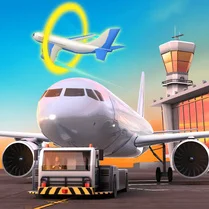
Common Core State Standards
Every game supports specific Common Core standards. Browse the full standards library.
Practice by Skill
Games by Grade
What is Airport Simulator
Step onto the tarmac and into the tower in Airport Simulator. You're in charge of every flight that comes and goes, and keeping the schedule intact is up to you.
How to Play
Click or tap to select an aircraft, then choose its destination gate or runway. Keep an eye on the timers for each flight and prioritize departures before they're delayed.
Tips for Playing
- Land planes on the runway closest to the gate they're assigned to reduce taxi time.
- Always send out waiting planes before accepting new arrivals to avoid congestion.
- Upgrade your ground crew early to speed up baggage handling and refueling.
- Watch for incoming flights that are low on fuel and land them first.
- Use the pause button to plan your next move during intense moments.
Frequently Asked Questions
What is the main objective in Airport Simulator?
The goal is to manage all airport operations—directing arrivals and departures, assigning gates, and handling passenger services—while keeping delays to a minimum.
How do I control the planes?
You select aircraft by clicking or tapping on them, then choose a destination like a gate or runway from the available actions.
Can I pause the game?
Yes, there's a pause feature that lets you assess the situation and plan your next actions without losing momentum.
What happens if I delay a flight?
Delays reduce your performance score and can lead to congestion on the tarmac, making it harder to manage later flights.
Are there upgrades in the game?
Yes, you can earn points or currency to upgrade facilities like ground crew or runways, which speed up operations.
Is Airport Simulator suitable for short play sessions?
Absolutely. Each level is quick, and the arcade style means you can jump in and out without losing progress.
Related Simulation Tycoon Games
 My Perfect Hotel
 Towntopia
 Football Manager
 Business Simulator 4
 City Constructor
 Cow Bay
 Global City
 Dictator Simulator: 1984
 Mini Subway
 Army Evolution: Merge & Tactics
 Apocalypse Tycoon: Island
 Ant Colony: Farm!
 Army Tycoon 99
 Idle Army Inc: Military Tycoon
 Mr. Mafia
 Empire City
 Prison Architect: Cage Break Tycoon
 Robbie: The bunker tycoon