Mini Subway
Mini Subway drops you into the role of a transit planner, tasked with connecting a growing population to their destinations using a simple draw-to-connect interface. Each level presents a distinct urban layout where stations pop up over time, and you must lay tracks between them while managing a finite amount of tunnels and trains. The challenge lies in balancing direct routes with capacity, as too many passengers on a single line will slow down your service and end the run. It’s a game about foresight and adaptation, where every new station forces you to rethink your entire network. As the city expands, you’ll earn upgrades like extra trains and tunnel pieces, but resources stay tight, so every decision matters. The minimalist art style and ambient soundtrack keep the focus on the puzzle at hand, creating a calm yet tense atmosphere. With procedurally generated cities, no two playthroughs feel alike, and the incremental difficulty curve keeps you coming back for one more attempt. Whether you’re planning a simple loop or a complex web of interchanges, Mini Subway rewards thoughtful design and quick thinking.
 WaffleMath
Common Core State Standards
Every game supports specific Common Core standards. Browse the full standards library.
Practice by Skill
Games by Grade
What is Mini Subway
Design a subway network that keeps a restless city moving. With each new station, you’ll need to adapt your routes or watch the system grind to a halt.
How to Play
Draw lines to connect stations with tunnels, then assign trains to those routes to pick up and drop off passengers. Keep expanding your network as new stations appear, and use upgrades wisely to prevent overcrowding and delays.
Tips for Playing
- Start with simple, direct routes between high-traffic stations before branching out.
- Use loops or circles to distribute passenger load evenly across lines.
- Upgrade tunnels early to extend reach, but save train purchases for when lines get busy.
- Watch for color-coded passengers—matching destinations on the same line reduces transfers.
- When a station gets crowded, add a second line or a loop through it to relieve pressure.
Frequently Asked Questions
What happens when a station gets too crowded?
If passengers wait too long, the station may close, and eventually the whole system fails, ending the run. Keeping lines balanced and adding trains helps prevent this.
How do I unlock new levels in Mini Subway?
New levels are unlocked by progressing through the campaign mode, which introduces different city layouts and higher difficulty. You can also play endless mode from the start.
Can I change my routes after drawing them?
Yes, you can erase and redraw tunnels at any time, but remember that modifying routes may leave stations temporarily unserved. Plan changes during quiet periods.
What's the best strategy for handling transfers?
Set up interchange stations where multiple lines meet, allowing passengers to switch. Ensure each transfer station has enough capacity to avoid bottlenecks.
Is there a way to speed up the game?
Yes, you can adjust the game speed using the controls, though faster speeds make it harder to react to new stations. Use normal speed when planning complex networks.
Does the game end when all stations are connected?
No, the game continues as long as you keep stations from getting overcrowded. New stations keep appearing, so you'll always have something to manage.
Related Simulation Tycoon Games
 My Perfect Hotel
 Towntopia
 Football Manager
 Business Simulator 4
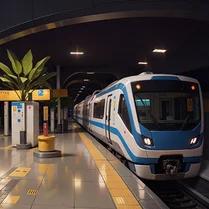 Global City
 Dictator Simulator: 1984
 Nubik Businessman!
 Tycoon: City of Dreams
 Tycoon: The Road to Wealth
 Tycoon: Military Base
 Build and get rich: Game for smart people!
 Business Simulator 3
 City Tycoon
 Dictatress Simulator: 1990
 Grow Up Streamers: Buster, 5opka, Gensyxa, T2X2
 Humidifier Evolution
 Lucy`s Ville
 My Business Simulation