Woodturning Studio
Woodturning Studio transforms the timeless craft of woodworking into an accessible browser-based experience. You start with plain wooden blocks and use interactive lathe controls to carve, sand, and polish them into finished pieces. The game blends precision mechanics with a relaxing, sandbox-style flow—there’s no timer or score pressure, just you, the spinning wood, and a set of virtual tools that respond with satisfying realism. Beyond the basic shaping, the studio encourages experimentation. Choose from various wood types, refine your technique with different chisels and gouges, and watch your creation take form layer by layer. The visual feedback is immediate, with shavings flying off and surfaces gradually smoothing under your touch. Whether you prefer classic symmetrical forms or bold, unconventional silhouettes, the tools reward patience and creativity. It’s a gentle escape that also teaches the fundamentals of turning, making it both a hobbyist’s dream and a curious newcomer’s intro to the craft.
 WaffleMath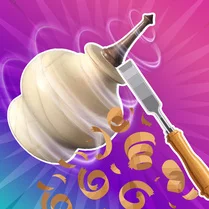
Common Core State Standards
Every game supports specific Common Core standards. Browse the full standards library.
Practice by Skill
Games by Grade
What is Woodturning Studio
Woodturning Studio is a relaxing arcade simulator where you turn raw timber into polished art. Grab your virtual tools, spin the lathe, and let your creativity guide the grain.
How to Play
Use your mouse or touch input to select tools and move them against the rotating wood while controlling the lathe’s speed. Carve away excess material, then switch to sanding and polishing for a flawless finish.
Tips for Playing
- Start with a slower rotation speed when you're learning the tool movements—it gives you better control over the cut.
- Remove larger chunks with a roughing gouge first, then switch to finer tools for shaping detail.
- Keep your tool movements smooth and steady to avoid uneven gouges in the wood surface.
- Check your work from different angles by pausing the lathe and rotating the view manually.
- Experiment with asymmetric shapes—no rule says every piece must be perfectly round.
Frequently Asked Questions
What types of projects can I create in Woodturning Studio?
You can craft bowls, vases, goblets, and other rounded wooden objects. The tools also allow for freestyle sculpting beyond basic shapes.
Is there any penalty for making mistakes while carving?
No, mistakes are part of the creative process. You can usually adjust and reshape the piece, though taking off too much wood might limit your design.
Do I need any real woodworking experience to play?
Not at all. The game introduces each tool and technique gradually, so beginners can learn the basics without prior knowledge.
Can I redo a step if I carve too much off?
There isn't an undo feature, but you can often save the piece by changing the intended shape or starting over with a new block of wood.
Is the game more about accuracy or creativity?
It balances both—the carving mechanics demand some precision, but the lack of strict objectives encourages creative exploration.
Related Simulation Tycoon Games
 Lawn Mower Simulator
 Slime Simulator - ASMR & DIY
 Graveyard keeper
 Turning lathe
 Mini Farm
 Wood Turning Wood Carving ASMR Processing
 Russian Fishing
 Swords Maker
 Family Farm
 Russian Fishing at Sea
 Travel With Me: ASMR Edition
 Atelier Storie
 Cat Simulator: My Pets
 Chill Fishing 2: New Horizons
 Farmers Valley
 Farming Adventures
 Garden Bloom
 Play for Granny or Grandpa