Toca Boca Phone Creation Editor
Toca Boca Phone Creation Editor turns gadget tweaking into a laid-back artistic playground. Instead of coding or tinkering with hardware, you dive straight into a colorful workshop where every component is a blank canvas. Pick a base handset, then layer on themes ranging from sleek and minimal to loud and whimsical, adjusting hues, patterns, and textures until the look feels just right. The real charm lies in the details: scatter expressive stickers across the screen, swap in decorative charms or straps, and even tweak the home-screen wallpaper to complete the illusion. There’s no scoring or time limit—just freeform experimentation that rewards curiosity. Whether you’re aiming for a retro vibe or a futuristic fantasy, the toolset encourages mixing unexpected elements. Once you’ve finished, admire your creation in full view, tweak it further, or start over for a brand-new concept. It’s a perfect outlet for anyone who enjoys dressing up everyday objects with personality and flair.
 WaffleMath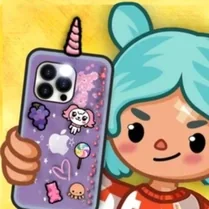
Common Core State Standards
Every game supports specific Common Core standards. Browse the full standards library.
Practice by Skill
Games by Grade
What is Toca Boca Phone Creation Editor
Step into a bright design lab where building your dream phone is pure play. Mix shells, stickers, and accessories to create something totally your own.
How to Play
Select a base phone model, then tap through the menus to change its case, colors, stickers, and add-ons. Arrange everything on the screen and watch your design come together instantly.
Tips for Playing
- Try pairing a bold case with neutral stickers so the overall look stays balanced.
- Layer small decals over larger ones for a collage-style effect.
- Use contrasting wallpaper colors to make your stickers pop.
- Experiment with odd accessories—sometimes the quirkiest combos look the coolest.
- Save your favorite designs early, then tweak them later for fresh variations.
Frequently Asked Questions
Can I change the phone model after I start designing?
Yes, you can switch the base model any time, though note that some accessories may shift position.
Are the stickers reusable?
Absolutely. You can place, remove, and reposition stickers as many times as you like without running out.
Is there a limit to how many accessories I can add?
There’s no strict limit, but adding too many may clutter the screen, so use your judgment.
Does the game save my creations automatically?
Your current design is typically saved as you play, but for permanence, use any in-game save or snapshot feature.
Can I play with friends?
The game is single-player, but you can compare designs by sharing screenshots or describing your creations.
Related Dress Up Style Games
 Diy Phone Case
 DIY Clothing
 DIY Dress
 Phone Case Designer
 Hair Salon
 Toca World Online
 Gun Builder
 Minecraft Skin Editor
 Geometry Dash: Ship Editor
 Mobile Phone Case Design & DIY
 Among Us: Survival Coloring
 Shoes Design DIY
 Phone Case Coloring & Design - Casual DIY Game
 Puppet Designer
 Gacha life maker
 Girl Tamagotchi
 Toca World: The City of Creativity
 Toka Boka: Arrange your room