Tetra Blocks
Tetra Blocks revives the timeless appeal of shape-stacking puzzles with a clean, modern presentation. As geometric pieces descend one by one, your task is to rotate and position them to form complete horizontal lines. Each completed row vanishes, making room for more blocks and pushing your score upward. The pace builds steadily, transforming a casual pastime into a gripping test of foresight and reflexes. This game strips away unnecessary clutter, letting you focus on the pure mechanics that have made this genre a favorite for decades. Whether you are sneaking in a quick session during a break or settling in for a long strategic run, Tetra Blocks offers a satisfying loop that is easy to grasp but hard to put down. Its minimalist look and responsive controls ensure that every move feels deliberate, and the escalating difficulty keeps each round fresh.
 WaffleMath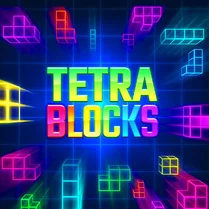
Common Core State Standards
Every game supports specific Common Core standards. Browse the full standards library.
Practice by Skill
Games by Grade
What is Tetra Blocks
Drop, rotate, and clear. Tetra Blocks is a straightforward puzzler where quick thinking and spatial awareness are your best tools.
How to Play
Use the arrow keys (or on-screen controls) to move the falling piece left or right, rotate it, and speed up its descent. Complete horizontal lines to clear them and prevent the blocks from reaching the top.
Tips for Playing
- Always keep an eye on the upcoming piece to plan your placement ahead of time.
- Avoid filling the center column, as it limits your options for fitting new shapes.
- Save a spot for the long I-shaped block to clear four lines at once for a big bonus.
- Use the hard drop strategically to quickly place a block where you need it, but don't rush into mistakes.
- When the stack gets uneven, build on the side with the lowest height to buy more time.
Frequently Asked Questions
How do I move the falling blocks?
You can move the blocks left or right using the arrow keys or the on-screen buttons, and rotate them with the up arrow or a dedicated rotate key.
What happens when I complete a line?
The completed line disappears, and the blocks above it drop down. Clearing multiple lines at once gives you a higher score.
Is there a way to pause the game?
Yes, most versions of the game allow you to pause by pressing the P key or the pause button, so you can take a break without losing progress.
How is the game score calculated?
You earn points for each piece you place, and you get a bonus for clearing lines. Clearing more lines with a single piece earns extra points.
What happens if the blocks reach the top?
If the stack of blocks reaches the top of the playfield, the game ends. Clearing lines helps keep the stack low and extends your playtime.
Can I adjust the game speed?
Some versions of the game include speed settings or levels that gradually increase the fall speed. Check the options menu to see what's available.
Related Puzzle Games
 Tetris
 2048 Falling Blocks Merge Puzzle
 BlockCraft: Falling Pickaxe
 Block Dropping Merge
 Fill in the line: Falling blocks
 Clicker Blocks | Catch and Click
 Tetra Bricks
 TetraMain
 TetraPuzzle
 TetRash
 Bloxorz
 Stack
Stack 8-8 Puzzle Block Master
 Block Battle - Noob vs Pro
 One Block Simulator - Mine MOD!
 2048 - Blocks destruction
 Block Escape: Brain Training
 2048 Combine Blocks