Take cube the blocks
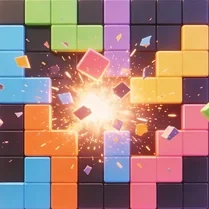
Take Cube The Blocks is a puzzle game that puts a fresh spin on the classic block-matching formula. The goal is simple: place falling cubes onto a grid to form complete lines, which then vanish and give you space to keep going. What sets it apart is the satisfying tactile feel of stacking cubes and the strategic decisions you make with each drop. As the game speeds up, you'll need to think ahead and plan your moves carefully to avoid filling up the board. With its clean visuals and straightforward mechanics, this game is easy to pick up but hard to put down. Whether you have a few minutes to spare or want to settle in for a longer session, it offers a rewarding balance of luck and skill. The increasing pace keeps the tension high, while the simple rule set makes it accessible to players of all ages. It's a great choice if you enjoy spatial puzzles that challenge your reflexes and your brain at the same time.
 WaffleMath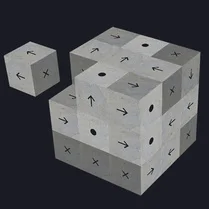
Common Core State Standards
Every game supports specific Common Core standards. Browse the full standards library.
Practice by Skill
Games by Grade
What is Take cube the blocks
Take Cube The Blocks is a cube-dropping puzzle that blends strategy with speed. You'll rotate and maneuver blocks to clear lines and keep the grid from overflowing.
How to Play
Use the arrow keys or on-screen buttons to rotate and move the falling cube, then drop it to create complete horizontal lines. Clear lines to prevent the stack from reaching the top.
Tips for Playing
- Always plan two or three moves ahead to avoid leaving awkward gaps.
- Keep the stack as even as possible to make line-clearing easier.
- Use the rotate function to find the best fit for tricky spots.
- Don't rush—take a moment to scan the board before you drop.
- When the speed increases, focus on clearing lines quickly rather than aiming for perfect placement.
Frequently Asked Questions
What happens when a cube hits the top of the grid?
If a cube lands on the top row and you can't place it, the game ends. You'll need to start a new round, but your score carries over if you want to beat it.
Can I adjust the game speed?
The game automatically increases speed as you score more points, but you can usually pause or restart if the pace gets too intense.
Is there a way to preview the next cube?
Most versions show a small preview of the upcoming cube, so you can plan your placement accordingly. Keep an eye on that window.
What's the highest score I can get?
There's no fixed maximum score—it depends on how long you can keep clearing lines. Skilled players can rack up thousands of points, but your performance determines the final tally.
Do I need to download anything to play?
No downloads are necessary. The game loads directly in your browser, so you can jump in without any installation hassle.
Can I play this game on a mobile device?
Yes, the controls are optimized for touchscreens, so you can swipe or tap to move cubes on phones and tablets.
Related Puzzle Games

 Stack
Stack Stack It Up!
 Block Master - Super Puzzle!
 Block Merge Mania
 Block and Stack
 Blocks 100 Carat
 Classic - Puzzle Heap
 Gold Rush Break & Merge
 Sort Stack
 Stack Blocks: Connect Wooden Blocks!
 Blockogramm
 Corners Puzzle Heap
 The crane
 Hexa Stack Master
 Obby Merge 2048
 Pickaxe Mania
 Steps Puzzle Heap
 Super Blocks: Stack & Connect