Supermarket 3D
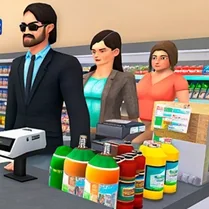
Step into the shoes of a store manager in a fully realized 3D grocery environment. Your day involves more than just checkout—you'll receive deliveries, organize merchandise, and guide shoppers to the items they need. The game blends quick decision-making with light strategy, as you juggle inventory levels, customer patience, and the cash register all at once. Every action affects your store's reputation and income. Keep shelves full to avoid disappointed shoppers, but don't overstock items that don't sell. The visual depth makes it easy to spot what's running low, and the responsive controls let you move quickly between tasks. As you earn revenue, you can expand your product range and improve your store's layout for even smoother operations.
 WaffleMath
Common Core State Standards
Every game supports specific Common Core standards. Browse the full standards library.
Practice by Skill
Games by Grade
What is Supermarket 3D
Manage a virtual grocery store in three dimensions, where every restock and sale counts. Keep your customers smiling while maximizing your daily earnings.
How to Play
Use mouse clicks or touch controls to pick up products, place them on shelves, and scan items at the register. Move between stations to serve customers and handle their payments.
Tips for Playing
- Keep an eye on shelf levels and preemptively restock popular items before they run out.
- Prioritize customers who have been waiting the longest to keep satisfaction high.
- Organize products by category so you can locate them faster during restocking.
- Upgrade your store's capacity when you have spare cash to reduce frequent deliveries.
- Watch the minimap or store layout to spot empty shelves at a glance.
Frequently Asked Questions
What happens if a customer can't find a product?
They may leave without buying, and your store's satisfaction rating drops. Restock promptly to avoid losing sales.
Is there a time limit in the game?
No, the game runs continuously, but your performance is often judged by daily or shift-based goals.
Can I pause the game?
Yes, most versions allow you to pause by pressing the pause button or the Escape key.
How do I know which items are running low?
Shelves appear visually emptier, and some versions show a small icon or indicator when stock is low.
Are there different levels or just one store?
The game typically features multiple levels or stages, each introducing new products and larger store layouts.
What's the best way to earn more money?
Serve customers quickly and accurately, avoid overstocking that doesn't sell, and expand your product variety to attract more shoppers.
Related Simulation Tycoon Games

 Monkey Mart
 Supermarket Simulator: The Original
 SuperMarket Store Simulator
 Supermarket Simulator: Store Cashier
 My Mart
 Supermarket Expert Idle
 Dream Supermarket: 3D Shop
 Robbie: Build SuperMarket Tycoon
 Supermarket Simulator: On the Shelves
 Sprunki Supermarket Simulator
 Build My Mart
 My Big Mart
 My supermarket. The store owner's simulator.
 Supermarket Life Simulator
 Supermarket Manager
 Supermarket Owner Simulator
 Supermarket Simulator
 Supermarket Simulator: 3D Business