Stickman Blockworld Parkour 2
Stickman Blockworld Parkour 2 drops you into a vibrant, cube-filled playground where every jump matters. The game blends precise platforming with a lighthearted, blocky aesthetic, creating an experience that is both visually charming and mentally demanding. As you progress, levels introduce new mechanics—swinging pendulums, collapsing blocks, and spinning hazards—that keep the action fresh and your reflexes sharp. Each course is a puzzle of movement, asking you to time your runs, hops, and flips perfectly. The controls feel responsive, and the physics reward careful planning over reckless speed. With a steady difficulty curve, it suits both newcomers looking for a fun diversion and veterans chasing the perfect run. Whether you have a few minutes or an hour, the game invites you to test your agility one block at a time.
 WaffleMath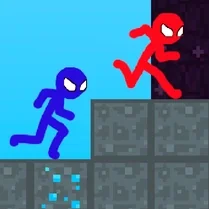
Common Core State Standards
Every game supports specific Common Core standards. Browse the full standards library.
Practice by Skill
Games by Grade
What is Stickman Blockworld Parkour 2
Take control of a stickman in a world made of blocks, where every leap and flip brings you closer to victory. Conquer a series of obstacle courses that will push your timing and agility to the limit.
How to Play
Use the arrow keys or WASD to move, and press the spacebar to jump. Perform flips by pressing the jump key again mid-air, and land on platforms to progress through each level.
Tips for Playing
- Scan the course ahead before moving to plan your route and spot safe landing zones.
- Hold the jump button longer to make higher jumps when you need extra clearance.
- Time your flips to adjust your landing angle and avoid overshooting platforms.
- Watch the rhythm of moving platforms and time your approach when they are closest.
- Don't rush; a steady pace often beats a speedy but careless run.
Frequently Asked Questions
What are the basic controls?
Use the arrow keys or WASD to move, and press the spacebar to jump. Press jump again mid-air to perform a flip.
How do I perform a flip?
Jump, then press the jump button again while in the air. Flips can help you adjust your landing angle.
What happens if I fall off the course?
You will respawn at the last checkpoint you reached, allowing you to retry that section without restarting the whole level.
Are there checkpoints in each level?
Yes, most levels have checkpoints that save your progress, so you can resume from a safe spot after a misstep.
Can I play with a gamepad?
Yes, the game supports gamepad input. Simply connect your controller and use the joystick to move and the A button to jump.
Is there a time limit?
No, there is no time limit, so you can take your time to figure out the best path through each course.
Related Obby Parkour Games
 Epic Parkour: Block Platformer
 Red Stickman Parkour
 Vex 8
Vex 8 Obby: Supereasy Parkour
 Robbie: Parkour for Noobs
 Stick Parkour
 Obby Steal a Brainrot Playground
 Obby Parkour: Tower
 Robbie: Easy Parkour Obby
 MiSide Obby with Mita
 Strawberry Obby: The Most Fun Parkour!
 Your Obby Parkour
 Obby parkour
 Obby Parkour: Only Jump Up
![Play [Multiplayer] Obby: Parkour Platformer](https://cdn.wafflemath.com/game-source/multiplayer-obby-parkour-platformer/icon.webp) [Multiplayer] Obby: Parkour Platformer
[Multiplayer] Obby: Parkour Platformer Relax Obby Parkour
 Escape Barry Obby Parkour
 Obby: Battle Royale