Sprunki Incredibox
Sprunki Incredibox turns music creation into a hands-on playground. Instead of buttons and sliders, you work with a cast of expressive characters, each carrying a distinct sound—beats, bass lines, melodies, or vocal chops. Drag a sound onto an empty slot and the character comes alive, looping their part instantly. Stack layers to build complexity, then swap them out to shift the mood from mellow to manic. Every session feels like a fresh jam because the combinations are nearly endless. There’s no score to chase and no wrong moves—just pure experimentation. Once you land on a groove you like, you can listen back, tweak it, or start over. It’s a low-pressure way to explore rhythm and texture, whether you have two minutes or two hours to spare.
 WaffleMath
Common Core State Standards
Every game supports specific Common Core standards. Browse the full standards library.
Practice by Skill
Games by Grade
What is Sprunki Incredibox
Meet a cast of animated performers who each drop a unique sound. Combine them to see what kind of track you can create.
How to Play
Drag sound icons from the bottom tray onto any character to assign that audio loop. Tap a character again to remove their sound and try a different layer.
Tips for Playing
- Start with a steady beat before adding melodic layers.
- Try replacing just one element to see how the whole vibe shifts.
- Use empty slots to test a sound without committing to it.
- Pair contrasting bass and treble sounds for a fuller mix.
- Take a break and come back—fresh ears help you spot new combos.
Frequently Asked Questions
Do I need any music experience to play?
No, the game is designed for everyone. You just drag and drop sounds, and the app handles timing and harmony.
Can I save the music I create?
Yes, you can record or export your mix as an audio file, depending on the version you're using.
Is there a limit to how many sounds I can use?
Each character slot holds one sound at a time, but you can have multiple characters playing simultaneously.
What happens if I don't like a sound I added?
Just tap the character again to remove their sound, then try a different one from the tray.
Are the characters purely visual?
No, each character's animation is tied to their sound, so the visuals react to the audio you build.
Can I play on a mobile device?
Yes, the game works on touch screens, so you can drag sounds with your finger just as easily as with a mouse.
Related Music Rhythm Games
 Help Sprunki: Incredibox Challenge
 Call Sprunki Incredibox!
 Call Sprunki Incredibox now!
 Call Sprunki Incredibox right now
 Call Sprunki right now! Incredibox
 Call Wenda from Sprunki Incredibox now!
 Sprunki Incredibox 3D
 Sprunki Incredibox 67!
 Sprunki Incredibox - The Amazing Digital Circus
 Call Wenda Sprunki Incredibox: Clicker
 Sprunki Connect Incredibox
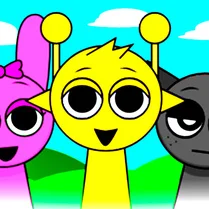 Sprunki Incredibox Original
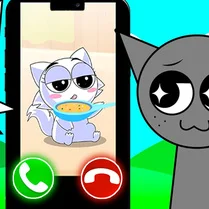 A new call from SPRUNKI INCREDIBOX
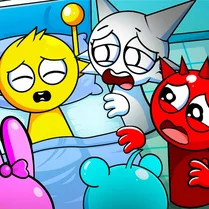 Sprunka Need Help: Incredibox Challenge
 Evolution of Sprunki Incredibox
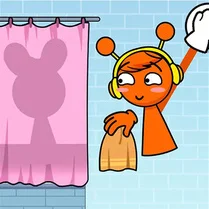 Sprunki Incredibox: Long Hand
 Sprunki Incredibox Draw Path
 Merge Sprunki Incredibox