Spider-Noob
Spider-Noob drops you into the shoes of an aspiring hero who's still learning the ropes. The city is your playground, filled with towering skyscrapers, busy streets, and hidden corners to explore. As you gain confidence, you'll take on a variety of tasks that test your agility and timing, from chasing down troublemakers to reaching tricky vantage points. Each successful run earns you upgrades and unlocks new challenges, keeping the action fresh and rewarding. The game's controls are straightforward but demand practice to truly master. You'll need to judge distances, time your swings, and manage your momentum to glide smoothly from one building to the next. The colorful, cartoon-like visuals give everything a light-hearted feel, even as the difficulty ramps up. Whether you have a few minutes or an hour to spare, Spider-Noob offers a quick and satisfying pick-up-and-play experience that grows with you.
 WaffleMath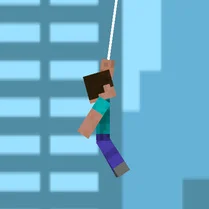
Common Core State Standards
Every game supports specific Common Core standards. Browse the full standards library.
Practice by Skill
Games by Grade
What is Spider-Noob
Spider-Noob puts you in control of a fledgling hero learning to navigate a bustling metropolis. Swing, leap, and climb as you build your skills and take on a series of lively challenges.
How to Play
Use the arrow keys or WASD to move, and press the spacebar to shoot webs. Aim your webs at buildings or ledges, then hold to swing—release to let go and gain momentum.
Tips for Playing
- Time your web releases just as you reach the peak of your swing to maintain speed.
- Look ahead and plan your next web attachment point before you let go.
- Use shorter swings in tight areas to avoid crashing into walls.
- Collect glowing items scattered around to boost your score and unlock upgrades.
- Practice in an open area first to get a feel for the swinging physics.
Frequently Asked Questions
What is the main goal in Spider-Noob?
The main goal is to complete a series of missions that involve swinging through the city, collecting items, and reaching specific locations. Progressing through missions unlocks new content and increases the difficulty.
How do I control the character?
Use the keyboard (WASD or arrow keys) to move, and press the spacebar to attach a web to a surface. Holding the spacebar keeps the web attached, and releasing it lets you swing freely.
Is there a way to practice swinging?
Yes, the game includes a free-roam or practice mode where you can swing around the city without time limits. This is a great way to improve your skills before tackling tougher missions.
Can I play Spider-Noob on a mobile device?
Spider-Noob is designed for desktop browsers, but some versions may be optimized for mobile. Check the game's compatibility on your device for the best experience.
What happens if I crash into a building?
Crashing into a building causes you to lose a bit of health or speed, but you can recover quickly. Repeated collisions may end the current run, so try to plan your swings carefully.
Are there any upgrades available?
Yes, you can earn points from collections and missions, which you can spend on upgrade that improve your web-swinging speed, web length, or agility. These upgrades help you tackle more complex tasks.
Related Action Games

 Stickman Spider Man Hook
 Noob Superhero: Epic Spider on Web
 Stickman Spider Superhero with hook
 Hero 2: Flash - Super Speed
 You Spider Dude
 Hero 2: Flash - Super Speed
 Noob on Web: Epic Superhero
 Spider Hook
 Spider-Man Wonder Coloring
 Stick superhero: web shot
 Superhero City 3D
 Superhero Lady with Hook bug
 Super Man Rope
 Subway Surfers
 Hole.io
 ACR: City Drift Racing
 Real Cars in City
 Traffic Racer Majorka 2025