Sorting Master: Shelves
Sorting Master: Shelves puts your sense of order to the test. Every level drops a jumbled pile of everyday belongings—kitchenware, gardening gear, office supplies, and more—onto a multi-tiered rack. Your job is to examine each piece and place it onto the correct labeled shelf, turning visual noise into a neatly categorized display. The catch is that space is tight, and the mix of items grows more bewildering as you advance, so a quick eye and a calm approach go a long way. The game rewards careful thinking over speed, giving you room to rearrange when a placement feels off. There is no timer pressuring you, only the satisfying click of items settling into their rightful spots. With each completed rack, the challenge ramps up, introducing rarer objects and trickier groupings that make you question where something truly belongs. It is a gentle, focused pastime for anyone who enjoys making sense of clutter, one shelf at a time.
 WaffleMath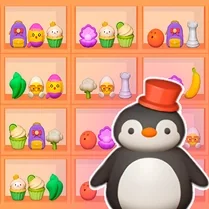
Common Core State Standards
Every game supports specific Common Core standards. Browse the full standards library.
Practice by Skill
Games by Grade
What is Sorting Master: Shelves
A messy shelf is a puzzle waiting to be solved. Grab each stray item and place it where it belongs before moving on to the next gloriously organized row.
How to Play
Click or tap an item from the supply area, then select the shelf segment that matches its category. Keep an eye on available slots because a full row might force you to rethink your placement strategy.
Tips for Playing
- Scan all shelves first to identify which categories are already filling up, then prioritize placing items for those sections.
- If a shelf section is nearly full, slot in that category's items early to avoid getting stuck with nowhere to put them later.
- Don't hesitate to move an already placed item if you spot a better arrangement—rearranging costs nothing.
- Group similar-looking objects by their labels or shapes, but always double-check the shelf tag before dropping.
- When the layout feels overwhelming, clear the smallest category first to free up visual space and reduce confusion.
- Use the pause feature if you need a moment to think—there's no rush, so a careful read beats a hasty guess.
Frequently Asked Questions
Can I move an item after I've placed it on a shelf?
Yes, you can pick it up again and relocate it to another section as long as there is room. This flexibility helps you correct mistakes without penalties.
What happens if I put an item in the wrong spot?
The item simply stays where you dropped it, but you'll likely need to move it later to make room for the correct pieces. The game doesn't punish errors, so take your time.
Is there a time limit for finishing a level?
No, there is no timer. You can play at your own pace, which makes the game more about thoughtful organization than quick reactions.
How do I unlock new shelf layouts or item types?
Progressing through levels gradually introduces new categories and shelf designs. As you complete each arrangement, the next one presents a fresh mix of objects.
Does the game work on mobile devices as well as desktop?
Yes, the controls are adapted for touch and mouse input, so you can play on a phone, tablet, or computer without any issue.
What should I do if a shelf section is full and I still have items left?
Check if any placed items are misplaced and move them to free up space. If everything is correct, you might need to rearrange items between sections to fit the remaining pieces.
Related Puzzle Games

 Water Color Sort
 Wool Art Sort Puzzle 3D
 Nut Sort: Color Puzzle Game
 ASMR: Cut and sort blocks
 Goods sort: Perfect Shelf
 Screw Sort 3D
 Fridge: perfect stocking
 AquaSort
 Hexa Sort
 Sorting: Buses and Passengers
 Thread Sort Puzzle 3D
 Bead Sort 3D
 Your Hogwarts House
 Nuts Color Sort Puzzle
 Coin Sort
 Liquid Sort
 Ball Sort Puzzle
 Color Hexa Sort