Solitaire Puzzle
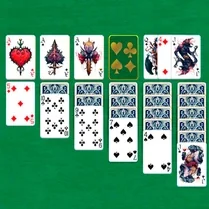
Solitaire Puzzle strips away the clutter, handing you a single tableau and a stack of cards to sort. The goal is simple: move every card onto the four foundation piles, starting with aces and climbing to kings. Each move asks you to weigh the order on the board, shuffle suits around, and plan a few steps ahead. The crisp, minimal layout keeps your eyes on the cards, while the controls respond nicely to both mouse and touch, so you can settle into a rhythm whether you are on a laptop or a phone. The game respects your pacing. There is no timer leaning over your shoulder, no pressure to rush—just a quiet puzzle that rewards patience and a tidy sequence of moves. Some deals resolve in minutes; others coax you into longer stretches of fiddling with columns and uncovering hidden cards. It is the sort of companion you can dip into during a coffee break, then pick up again later without losing your place. With a handful of built-in conveniences like undo and a hint button, Solitaire Puzzle feels less like a test and more like a calm, satisfying shuffle of logic.
 WaffleMath
Common Core State Standards
Every game supports specific Common Core standards. Browse the full standards library.
Practice by Skill
Games by Grade
What is Solitaire Puzzle
A familiar card-sorting task, refreshed with a clean look and smooth handling. Sort the deck, stack the suits, and clear the board.
How to Play
Move cards between columns to build descending sequences with alternating colors, and place aces on the foundation to start each suit pile. Tap or drag cards to transfer them, and flip through the stock when you need fresh options.
Tips for Playing
- Always move an ace or a low card to the foundation early to free up the tableau.
- Avoid moving a card to an empty column unless it is a king, since that spot is often useful for rearranging.
- Expose hidden cards in columns with more face-down cards first before working on easier columns.
- Use the undo button whenever a move leaves you with no clear next step, and retry a different approach.
- Keep an eye on the stock pile—sometimes it is better to draw a card than to lock a column into place.
Frequently Asked Questions
How do I win Solitaire Puzzle?
You win by moving all 52 cards to the four foundation piles, each built from ace to king in a single suit. Once every pile is complete, the game is over.
Can I undo a move?
Yes, there is an undo button that lets you step back one move at a time. It helps when you realize a move was a mistake or you want to try a different sequence.
Is there a hint feature?
Yes, a hint button highlights a helpful move when you are stuck. It is useful for spotting a play you might have missed, but use it sparingly to keep the challenge.
What happens if I run out of moves?
If the tableau and stock run dry with no valid plays, the deal is considered lost. You can start a fresh game or undo back to an earlier point if you want to keep going.
Does the game work on mobile devices?
Yes, the game is designed for touch screens with simple tap-to-move controls, so it plays comfortably on phones and tablets as well as desktop computers.
Is every deal always solvable?
No, some deals may be impossible to finish, even with perfect play. If you hit a dead end, just shuffle up a new deal and try again.
Related Card Board Games
 Clean Solitaire: Klondike
 Epic Solitaire «Klondike»
 Men's Solitaire "Klondike"
 New Solitaire
 Solitaire Klondike - For full-grown
 Solitaire Klondike - Treasure Island
 Incredible Solitaire
 Klondike Solitaire: arrange the cards by suit
 Double Klondike Solitaire
 Gaps Solitaire
 Gaps Solitaire 2026
 Klondike Canfield Solitaire
 Klondike classic
 Klondike Classic (1 or 3 cards)
 Klondike: Classic Solitaire
 Klondike: idyutary solitaire
 Klondike Solitaire
 Klondike: Solitaire 1/3 cards for free