Sliding Picture Puzzles
Sliding Picture Puzzles takes a familiar brain teaser and gives it a colorful twist. Instead of numbers, you get scrambled halves of an image that you must piece back together. Each level presents a new picture, cut into a grid of tiles, with one empty slot that lets you shift the pieces around. It's a calm yet absorbing challenge that rewards careful planning and a good eye for detail. What makes this game special is how it blends relaxation with mental exercise. There's no timer pressure, so you can take your time, study the layout, and think several moves ahead. As you progress, the grids grow larger and the images more intricate, testing your spatial awareness and memory. Whether you have a minute or an hour, this puzzle invites you to lose yourself in the satisfaction of a completed picture.
 WaffleMath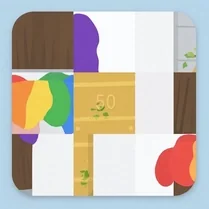
Common Core State Standards
Every game supports specific Common Core standards. Browse the full standards library.
Practice by Skill
Games by Grade
What is Sliding Picture Puzzles
Slide the scattered pieces until the full photograph reveals itself. A simple premise that turns into a surprisingly engaging test of your problem-solving skills.
How to Play
Click or tap a tile adjacent to the empty space to slide it into that gap. Keep moving tiles to arrange them in the correct order, recreating the original image.
Tips for Playing
- Start by completing one row or column at a time to build momentum.
- Work from the top left corner downward, as it's usually easier to place those tiles first.
- Study the full image at the start to memorize key details and colors.
- If you get stuck, move a tile back and forth to create new options.
- Don't rush; there's no time limit, so plan each move carefully.
Frequently Asked Questions
Is there a time limit in the game?
No, you can take as long as you need on each puzzle. This allows for relaxed, thoughtful play.
Can I choose the difficulty level?
Yes, you can select from different grid sizes, typically 3x3, 4x4, or larger, to adjust the challenge.
What happens if I make a wrong move?
You can simply slide the tile back or keep solving. There's no penalty for wrong moves, so experiment freely.
Are there hints available?
The game may offer a preview of the original image, which serves as a hint. Some versions also allow you to undo moves.
Does the game support mobile devices?
Yes, it's designed to work with touch controls, so you can play on tablets and smartphones.
What is the objective?
The goal is to rearrange all the tiles so they form the original picture. Once you do, the puzzle is solved.
Related Puzzle Games

 Fix the Picture
 15 Puzzle Classic
 Slider
 Wood Bytes Puzzle
 Christmas Puzzle
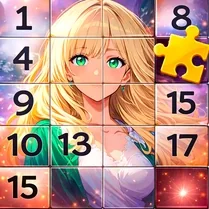 Fifteen puzzles for adults
 Fifteen puzzle: Shuffle
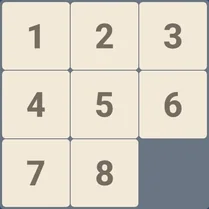 Modern Fifteen Puzzle: New Modes
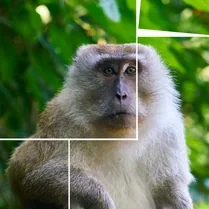 Picture Puzzle
 Sliding Puzzle on Rails
 The Impossible Quiz
 2048
2048 Water Color Sort
 Shape Fold
 Brain It On
 That's My Seat! - Logic Puzzle
 1024, 2048, 4096
 2048 Cubes