Skyblock 3D: Survival
Skyblock 3D: Survival drops you onto a tiny patch of earth suspended high above the clouds. With nothing but a tree and a few tools, you must chop, mine, and scavenge to transform your humble perch into a thriving island. The game blends classic block-building mechanics with an arcade-friendly pace, letting you expand horizontally and vertically while managing your resources wisely. As you progress, you'll unlock new crafting recipes and discover hidden corners of your skybound world, all while keeping an eye on your health and hunger meters. The challenge lies in balancing exploration with conservation—every block you break could be the one you need later. You'll construct bridges to nearby floating islands, dig deep into the bedrock below, and even create automated systems to gather materials for you. The minimal UI and smooth controls make it easy to jump in, but mastering the art of sustainable living in the sky takes practice. Whether you're aiming for a cozy cottage or a sprawling fortress, your creativity is the only limit in this compact survival sandbox.
 WaffleMath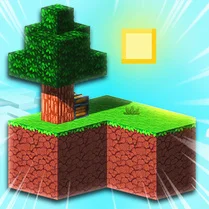
Common Core State Standards
Every game supports specific Common Core standards. Browse the full standards library.
Practice by Skill
Games by Grade
What is Skyblock 3D: Survival
Float high above the clouds and turn a single block of earth into a survival haven. Skyblock 3D: Survival is a compact arcade twist on the sandbox genre, perfect for quick sessions.
How to Play
Use keyboard or touch controls to move, jump, and break or place blocks. Gather wood and soil from your starting island, craft tools and items, and expand your platform to reach more resources.
Tips for Playing
- Always keep a spare block of dirt when bridging to another island.
- Plant a tree early under a torch to avoid waiting for natural growth.
- Prioritize crafting a bucket before expanding too far—it saves falling damage.
- Store extra cobblestone; it's a reliable building material for bridges.
- Check the sky regularly for item drops or rare floating chests.
Frequently Asked Questions
How do I get more resources on my floating island?
Your starting island has limited resources, so you'll need to build a bridge to nearby floating islands and mine or harvest there. Some islands have special ores or trees that yield more materials.
What happens if I fall off the island?
Falling off the edge sends you to the void and you'll respawn back on the island, but you may lose dropped items unless you collect them quickly. Avoid falling by building fences or moving carefully.
Can I save my progress?
The game may save your progress automatically if you're in a single-player session. Check the main menu for options, and avoid closing the game during critical moments.
Is there a crafting system?
Yes, you can craft tools, blocks, and items using a crafting table. Combine raw materials like wood and stone to create essential gear for survival.
Are there enemies or mobs?
While the focus is on survival and building, some versions may include hostile mobs at night. Keep your island well-lit to prevent spawns if you see them.
How do I expand my island effectively?
Place blocks outward from the edge to extend the platform. Use durable materials like cobblestone for bridges and add fences to prevent falls. Always keep extra blocks in your inventory when exploring.
Related Sandbox Building Games
 Skyblock Survive With Noob!
 Mine Mining Islands: Skyblock Village!
 Noob: Survival on Island!
 Desolate Isle: Survival
 ISLANDCRAFT: Adventure of the Noob
 Island Survival Simulator
 Mine Island 3D: Crafting and Survival
 Pixel Island Survival
 Stranded Island Tycoon: Craft & Survival
 Minecraft Online
 Infinite Craft
 99 Nights in the Forest - Crafting
 Survival: Dinosaur Islands
 Village Craft
 Mine: Techno Islands 3D
 Mine World
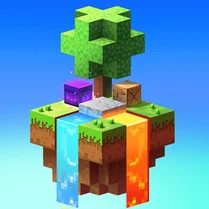 Skycube Craft: Mine Survival
 Mine Fighting Craft