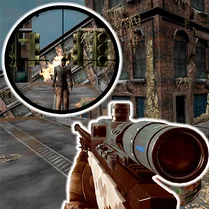
Simulator Case: Stanok 2
Simulator Case: Stanok 2 drops you onto the workshop floor of a busy manufacturing plant, where your job is to run a variety of heavy-duty tools. Each machine has its own console, gauges, and moving parts, and your goal is to learn how they all fit together. You'll feed raw materials, adjust speeds, and keep a close eye on every dial to make sure each piece comes out just right. The game feels like a hands-on training session, letting you experiment with each station at your own pace before the real work begins. As you progress, the jobs get more demanding, testing your ability to multitask and stay precise under time pressure. You'll need to plan your moves, spot small errors early, and fine-tune your technique to avoid costly mistakes. With a relaxed pace that still rewards careful attention, this simulator is perfect for anyone who enjoys tinkering, problem-solving, or just seeing how factory gear operates day to day. Whether you're aiming for perfect scores or simply exploring the machinery, there's plenty to keep you engaged.
 WaffleMath
Common Core State Standards
Every game supports specific Common Core standards. Browse the full standards library.
Practice by Skill
Games by Grade
What is Simulator Case: Stanok 2
Simulator Case: Stanok 2 puts you at the helm of industrial tools, where success depends on your touch. Get ready to load, adjust, and produce.
How to Play
Use your mouse to interact with machine controls, buttons, and levers, and follow on-screen prompts to process each task. Pay attention to the order of steps and keep an eye on progress indicators to finish the job correctly.
Tips for Playing
- Always read the instructions before starting a new machine.
- Keep an eye on the speed and pressure gauges to avoid overworking the equipment.
- Practice on simpler tasks first to get a feel for the controls.
- Double-check the placement of materials before you activate the machine.
- If you make a mistake, quickly reset and try again—it's often faster than fixing it.
Frequently Asked Questions
What kind of game is Simulator Case: Stanok 2?
It's a simulation game where you operate industrial machinery to complete manufacturing tasks.
Do I need to download anything to play?
No, the game runs directly in your browser, so you can start playing right away.
Is the game difficult for beginners?
It starts with gentle tutorials and simple jobs, so it's approachable for newcomers, but later tasks demand more precision.
What controls do I use to play?
You use your mouse to click on buttons, move levers, and interact with the machine interfaces.
Can I pause the game if I need to step away?
Yes, the game allows you to pause, so you can take a break without losing your progress.
Are there different types of machines to operate?
Yes, the game features several machines, each with its own set of controls and functions to master.