Shooter Strike FPS 3D
Shooter Strike FPS 3D drops you straight into the middle of intense firefights where every second counts. As a first-person shooter built for the browser, it strips away the lengthy downloads and complicated setups, letting you focus on what matters: aiming, shooting, and outmaneuvering your opponents across a variety of compact battle arenas. The game’s visual style leans into clean 3D environments and crisp weapon models, creating a straightforward but engaging combat experience. Whether you’re on a short break or have a few minutes to spare, the pick-up-and-play design means you can jump into a match instantly. With responsive mouse-and-keyboard controls and a steady frame rate, the action stays fluid whether you’re strafing around cover, lining up a sniper shot, or charging into close-quarters combat. The AI-controlled enemies provide a solid challenge whether you're warming up or looking for a quick rush, making it a perfect option for both casual and dedicated FPS fans.
 WaffleMath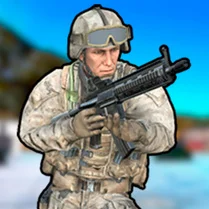
Common Core State Standards
Every game supports specific Common Core standards. Browse the full standards library.
Practice by Skill
Games by Grade
What is Shooter Strike FPS 3D
Step into the boots of a soldier in Shooter Strike FPS 3D, where quick reflexes and sharp aim decide who comes out on top. It’s a straightforward FPS that serves up pure action, perfect for a quick session whenever you’ve got a few moments to spare.
How to Play
Move with the WASD keys and aim with your mouse, then click to fire at enemies that appear around the arena. Use the Shift key to sprint, the R key to reload, and keep an eye on your health and ammo counters to stay in the fight.
Tips for Playing
- Aim for headshots to take down enemies faster and conserve ammo.
- Keep moving and strafing to make yourself a harder target for opponents.
- Reload during lulls in the action, not in the middle of a firefight.
- Learn the layout of each map to find the best cover spots and angles.
- Prioritize targets that are already shooting at you before engaging others.
Frequently Asked Questions
What is the main objective in Shooter Strike FPS 3D?
The objective is to eliminate enemies within each level or round, earning points and advancing through the game. Focus on defeating all hostile forces to complete the mission.
Does the game work smoothly on most browsers?
Yes, Shooter Strike FPS 3D is designed to run directly in modern web browsers without additional software. Performance is generally stable on desktop systems with up-to-date browsers.
Can I play using a controller?
The game is primarily optimized for keyboard and mouse controls, which offer precise aiming. Controller support is not guaranteed and may vary depending on the browser or platform.
Is there a way to adjust the game's sensitivity?
Many browser-based FPS games, including this one, offer sensitivity settings in the options menu. Look for a 'settings' or 'options' tab in the game's main menu to tweak it to your preference.
Are there multiple levels or maps in Shooter Strike FPS 3D?
Yes, the game includes a series of levels or arenas with varying layouts. You'll progress through them as you complete objectives and defeat enemies.
Related Shooting Games
 Krunker.io
 CS 1.6 Contra
 CS 1
CS 1 CS: Red vs Blue
 3D Shooter - Dust 2 Defend
 CS Lite
 CS2 Surf with knives!
 CS 1.7
 CS Remake: Modern FPS
 CS2 Knife Fights
 CS: Operation in the desert
 Opration Flashpoint: Red - Blue war
 CS: Shooter
 Strike Royale: Gun FPS Shooter
 Hypercam Shooter
 3D Shooter Dark Destruction
 Counter Terrorist 2 FPS
 STALKER - Assault on Pripyat